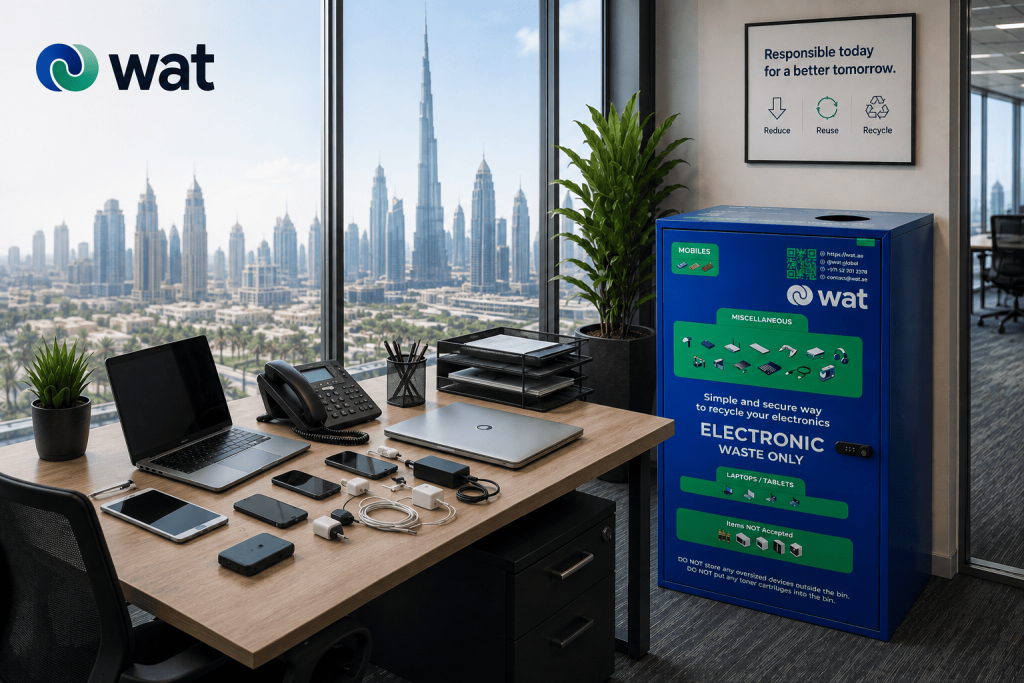
Most office e-waste does not start as a large disposal project.
It often starts with everyday devices that no one knows how to handle properly.
A laptop replaced during an upgrade. A tablet returned by a former employee. An old office phone that still powers on. A mobile device that may still hold saved accounts. A few USB drives in a drawer. Chargers, cables, keyboards, mice, adapters, and small accessories that keep moving from desk to desk without a clear destination.
At first, these items look like clutter. But in a UAE office, they can also represent something more serious: unmanaged electronics, battery-containing items, and in some cases, data-bearing devices that should not be treated like ordinary waste.
That is why dedicated office e-waste bins matter.
A WAT e-waste bin is not only for cables and small accessories. It can also support the collection of laptops, tablets, phones, and other office electronics that need a clearer, safer route out of the workplace.
For companies, the bin is not just a recycling point. It is the first step in keeping electronics out of general waste, reducing storage confusion, and supporting better data-security habits before devices move into proper downstream handling.
Why office e-waste bins are about more than clutter
Many offices already have informal e-waste areas.
The IT room may have a shelf for old laptops. The admin team may keep returned phones in a cabinet. Employees may leave damaged chargers in drawers. Reception may store old access devices, headsets, tablets, or desk phones because no one is sure whether they should be repaired, reused, or disposed of.
This creates a messy middle stage where electronics are no longer active, but they are not yet properly handled.
That stage matters because office electronics can include:
- business data
- saved user accounts
- company documents
- email access
- internal applications
- stored files
- batteries
- circuit boards
- recoverable materials
- accessories that belong with larger devices
When these items are left loose across the office, the business loses visibility. It becomes harder to know what was retired, where it went, whether it contained data, whether it was damaged, and whether it should have followed a more secure route.
A dedicated e-waste bin helps reduce that uncertainty by giving employees one visible and understood place to move retired electronics instead of leaving them in unmanaged spaces.
What can go into an office e-waste bin?
The exact process should always follow the guidance of the company and its e-waste service provider, especially for damaged, swollen, leaking, or sensitive items.
But the important point is simple: an office e-waste bin should not be understood as a bin for cables only.
Depending on the setup, it can support the collection of common workplace electronics such as:
- laptops
- tablets
- old mobile phones
- desk phones
- USB drives
- external hard drives and small storage devices
- keyboards and computer mice
- headphones and headsets
- chargers and power adapters
- cables and wires
- small networking accessories
- electronic access devices or badges
- portable electronics and office gadgets
This wider view is important because data-bearing devices and accessories often sit side by side in the same office environment.
A laptop may be retired after a refresh. A phone may be replaced when an employee leaves. A tablet may no longer be used by a department. A charger may be separated from the device it belongs to. If there is no clear e-waste route, all of these items can end up scattered across drawers, cabinets, and storage rooms.
Why data security should be part of the bin conversation
For laptops, tablets, phones, USB drives, and storage devices, the issue is not only environmental.
These devices may still contain information, even when they look old, damaged, or no longer useful. A phone that is no longer assigned to an employee may still hold saved accounts. A laptop with a broken screen may still have a working drive. A tablet that has not been used for months may still contain files, app access, or cached data.
That is why data-bearing devices should not be treated like regular office waste.
A dedicated e-waste bin helps employees separate these devices from general waste and move them into a more controlled process. It does not replace data removal, hard disk shredding, asset destruction, or any internal security requirement. Instead, it helps create a safer first step so devices are not left loose, mixed with general waste, or forgotten in open storage.
For offices that are replacing laptops, desktops, phones, or tablets during an upgrade, see our blog:
Office IT Refresh in the UAE: A Practical Offboarding Checklist (Collect, Store, Erase, Handover).
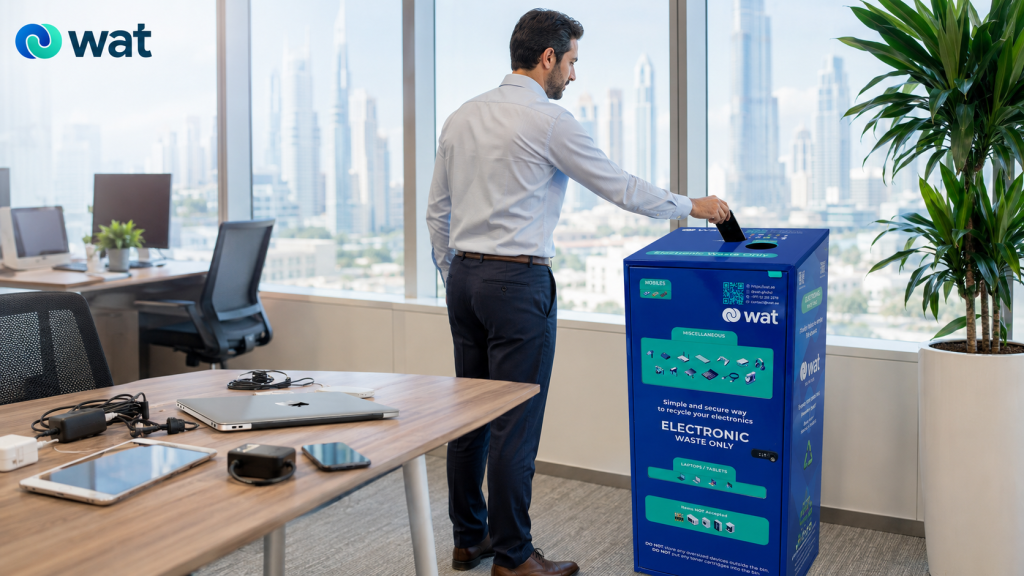
The bin is the first control point, not the final security step
It is important to be clear about what an e-waste bin does and does not do.
The bin gives employees a proper collection point. It helps prevent electronics from being thrown into regular trash, left on desks, or hidden in drawers. It also makes it easier for facility, admin, procurement, or IT teams to identify what needs to be collected and handled next.
But a bin by itself does not erase data or decide what should be repaired, reused, repurposed, recycled, or destroyed.
That is why offices should connect the bin to a simple internal process. For data-bearing devices, that process may include:
- separating laptops, tablets, phones, USBs, and storage devices where needed
- recording device categories and quantities
- limiting access to collected devices before handover
- following internal data-removal or destruction requirements
- using a responsible collection and downstream handling route
- keeping damaged or battery-risk items under separate guidance
When offices use dedicated bins supported by WAT’s proprietary e-waste management system, the bin becomes more than a storage point. It helps move collected laptops, tablets, phones, accessories, and cables into a clearer collection and reporting process without relying on random desk drawers, informal boxes, or general waste bins.
For more on the handover and accountability side of retired electronics, see our blog:
Chain of Custody for Retired IT Assets in the UAE: Why Documentation Matters from Pickup to Final Processing.
Why general waste bins are the wrong route
A regular trash bin is designed for ordinary office waste. It is not designed for electronics.
When laptops, tablets, phones, chargers, or accessories enter general waste, the company loses control over important questions:
- Was the item data-bearing?
- Did it contain a battery?
- Was it damaged?
- Should it have been repaired, reused, or removed from circulation?
- Was it part of a larger device set?
- Did it need a secure downstream process?
- Who handled it after it left the office?
This is especially risky for devices that may still contain business or personal information. Even if the item is old or no longer working, the safer assumption is that data-bearing devices should follow a controlled path instead of entering ordinary waste.
For non-data accessories such as cables and chargers, the concern is different but still important. These items can contain recoverable materials and should be kept separate from general waste wherever possible.
Where offices should place e-waste bins
Placement has a direct impact on whether employees actually use the bin.
If the bin is hidden in a back room, employees may continue storing old electronics in their own drawers. If it is placed too casually beside regular trash, the wrong waste may be mixed into it.
Useful locations can include:
- near IT or admin areas
- reception or facility management zones
- shared office floors
- printer and copy areas
- employee common areas
- near secure storage rooms
- branch office collection points
- office cleanup or refresh staging areas
The best location is visible enough for employees to use, but controlled enough that the bin does not become a general dumping point.
Clear signage also matters. Employees should understand that the bin can receive office electronics such as laptops, tablets, phones, chargers, cables, and accessories, while damaged batteries or sensitive devices may require additional instructions.
How bins help during office refreshes and cleanups
Office refreshes often create mixed electronics quickly.
New laptops arrive. Old tablets are returned. Phones are replaced. Chargers are separated from devices. Cabinets are cleared. Employees find old electronics that were forgotten months earlier.
Without a dedicated e-waste bin or collection point, these items usually go into temporary boxes with unclear ownership. Over time, those boxes become another storage problem.
A dedicated bin gives the refresh or cleanup process a clearer route. Employees know where to place retired electronics, and the responsible team can review the collected items before collection or handover.
If devices need to be stored for a short period before collection, see our blog:
Retired IT Assets in UAE Offices: How to Store Devices Securely Before Pickup.
Do battery-containing devices need extra care?
Yes. Many office electronics contain batteries, including laptops, tablets, phones, power banks, some tools, and smaller rechargeable devices.
For normal retired devices, the bin may be part of the collection route. But if a device has signs of serious battery damage, swelling, leakage, unusual odor, heat, or visible physical compromise, it should not be handled casually or forced into a bin without guidance.
Those items should be escalated internally to the appropriate facilities, HSE, or responsible team and handled according to the company’s process and provider guidance.
For a detailed workplace guide, see our blog:
Lithium-Ion Batteries in the Workplace: Safe Storage & Disposal in the UAE.
How to make office e-waste bins work properly
A bin works best when it is part of a simple office process rather than a standalone container.
A practical setup can include:
- clear signage explaining what can go into the bin
- a visible placement strategy for staff access
- separate instructions for laptops, phones, tablets, USBs, and storage devices
- guidance for damaged or battery-risk items
- regular review of collected items
- a defined collection or handover schedule
- coordination between facilities, IT, admin, and procurement
- a responsible route for data-bearing devices
The process does not need to be complicated. It just needs to be clear enough that employees stop guessing.
When employees know where to place old electronics, and the business knows how those items will be handled next, e-waste becomes easier to manage and less likely to create avoidable security or clutter problems.
What a better office e-waste setup looks like
A stronger setup usually includes:
- dedicated e-waste bins for office electronics
- clear acceptance of laptops, tablets, phones, chargers, cables, and accessories
- data-security guidance for devices that may hold information
- separate handling rules for damaged or battery-concern items
- regular collection instead of overflowing bins
- controlled storage where needed before pickup
- a clear handover process for collected electronics
This gives the office a cleaner and safer alternative to desk drawers, open boxes, general waste bins, and forgotten storage cabinets.
Most importantly, it helps employees understand that electronics are not ordinary trash. Whether the item is a laptop, phone, charger, cable, tablet, or accessory, it should move into a responsible e-waste process instead of disappearing into the wrong stream.
FAQs
Can laptops go into WAT e-waste bins?
Yes. WAT e-waste bins are not only for cables and small accessories. They can also support the collection of laptops, tablets, phones, and other office electronics, depending on the agreed collection process and any special handling requirements.
Why are e-waste bins important for data security?
They help keep data-bearing devices such as laptops, tablets, phones, USB drives, and storage devices out of general waste and unmanaged storage. The bin is the first step in a safer process, while data removal, hard disk shredding, or asset destruction may still be needed depending on the device and company policy.
Can chargers and cables still go into the bin?
Yes. Chargers, cables, adapters, keyboards, mice, headsets, and other accessories can still be part of office e-waste collection. The important correction is that the bin is not limited to these smaller items only.
Should damaged laptops or swollen batteries go into the bin?
If a device shows signs of serious battery damage, swelling, leakage, heat, or unusual odor, it should be escalated internally and handled according to safety guidance before being moved or placed into any collection point.
Where should companies place e-waste bins in the office?
Useful locations include IT areas, admin zones, reception, shared office floors, printer areas, and office cleanup points. The bin should be visible enough for employees to use, but controlled enough to avoid mixing with general waste.
If your office has old laptops, tablets, phones, chargers, cables, accessories, or mixed electronics building up in drawers and storage areas, WAT can help you create a clearer and more secure collection path. Request an e-waste collection or contact WAT to discuss how dedicated e-waste bins can support safer electronics handling, data-security awareness, and responsible disposal in your UAE workplace.