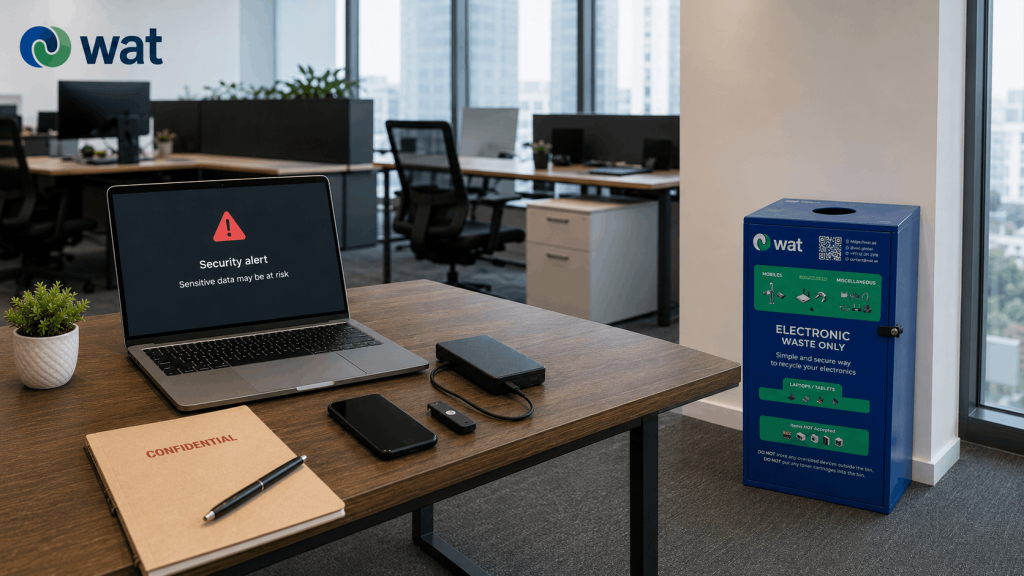
An old electronic device in the wrong bin may look like a waste issue.
For many UAE businesses, it can also become a cybersecurity issue.
A retired phone, USB drive, external hard drive, tablet, laptop, access device, printer, router, or small office gadget may still carry information long after the team has stopped using it. Some devices store files directly. Some hold login sessions, configuration data, network settings, user profiles, saved contacts, or internal business information. Others may not seem important until they are removed from the workplace without any record of what happened to them.
The risk usually starts with a simple assumption: this item is old, broken, or unwanted, so it can go into the nearest bin.
That assumption is where businesses lose control.
When old electronics are placed in general waste, mixed office bins, open boxes, or unmarked disposal areas, the company may lose visibility over the device, the data it could contain, and the path it follows after leaving the office.
This is why e-waste cybersecurity risk in the UAE should not only be discussed at the server-room level. It should also be part of everyday office disposal habits.
Why the wrong bin creates the wrong process
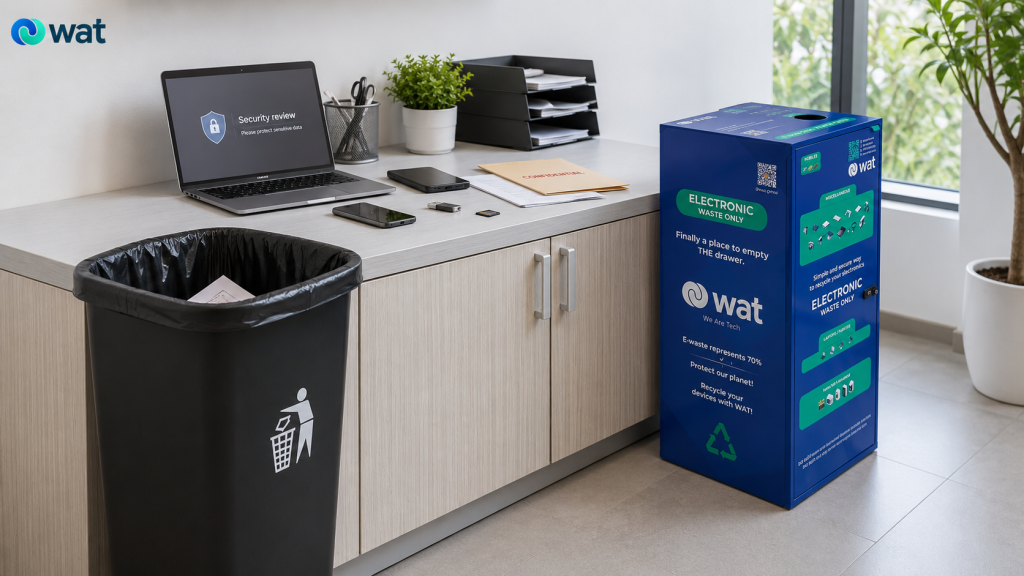
A general waste bin is designed for ordinary waste. It is not designed for electronics, and it is not designed for data-bearing devices.
Once an electronic item is placed in the wrong bin, several things can happen:
- the item may leave the office without IT review
- the business may lose track of what was discarded
- the device may be handled by people who are not part of the asset retirement process
- data-bearing devices may be treated the same as cables or packaging
- damaged or battery-containing items may be mixed with general waste
- there may be no record, handover note, or confirmation of downstream handling
That is a weak process for any company, but it is especially risky when the item could still contain business data or credentials.
The problem is not only what is inside the device. The problem is that the business no longer controls the device.
Small devices can still carry serious information
Cybersecurity risk is not limited to laptops, servers, and hard drives.
Small electronics can create risk too, especially when they have been used by employees, departments, branches, or customers. In many offices, the most overlooked devices are the ones that are easiest to throw away casually.
Examples include:
- old mobile phones
- tablets
- USB drives
- external hard drives
- memory cards
- desk phones and smart office phones
- access control cards or small access devices
- routers and networking accessories
- printers and scanners with stored settings
- POS devices, handheld scanners, or branch devices
- small smart devices used in offices or facilities
Some of these items may store data directly. Others may store configuration details or access information. Some may simply create uncertainty because no one has confirmed what they contain.
A practical rule for businesses is simple: if a device has ever stored, processed, connected to, or provided access to business information, do not treat it like ordinary waste.
Why “old” does not always mean “safe”
Teams often become less careful with devices once they look outdated or broken.
A phone that no longer charges may still contain storage. A laptop with a cracked screen may still have a working drive. A USB drive may still contain files even if no one remembers who used it. A router may still contain configuration details even after it has been removed from service.
The same applies to devices that have been sitting in drawers for months. Time does not remove data. Storage does not make the item safe. Forgetting who used the device does not reduce the need for control.
For a broader overview of common disposal-related data risks, see WAT’s guide:
5 Key Data-Security Risks in IT Asset Disposal (ITAD) for UAE Businesses.
The drawer-to-bin pathway is where risk builds
Many disposal mistakes do not happen on the official pickup day.
They happen earlier, when old electronics sit in drawers, cabinets, storage rooms, IT shelves, reception areas, or unmarked boxes. Once there is no clear owner, items become easier to mishandle.
A common pattern looks like this:
- an employee replaces a device and keeps the old one in a drawer
- IT removes small devices but does not immediately classify them
- facilities clears a room and places mixed electronics into a general waste area
- old phones and USBs are collected in an open box
- chargers, cables, and data-bearing devices are mixed together
- someone eventually decides to “clear the clutter” without a secure review
By the time the company notices the problem, it may no longer be clear what was removed, who handled it, or whether any device needed secure data treatment.
That is why the control point should come before the bin, not after the item has already disappeared into general waste.
E-waste bins help, but only when they are the right kind of bin
Dedicated e-waste bins can reduce the risk of electronics being thrown into regular trash, but not every box or container used for old electronics is secure.
Some offices use open boxes, storage cartons, or informal collection areas and call them “e-waste bins.” The problem is that these are usually not secure, not clearly managed, and not suitable for devices that may contain data, batteries, or sensitive components.
A bin is not just a place to drop old electronics. It should be part of a controlled collection route.
This is especially important for laptops, tablets, phones, USBs, hard drives, and other data-bearing devices. These items may need extra review, separation, or secure handling before final handover.
A simple office rule can help:
Accessories such as cables, chargers, adapters, keyboards, and mice can be collected through the e-waste bin. Data-bearing devices should only go into a secure e-waste bin or follow the company’s approved internal process.
This is where a secure e-waste collection system, such as WAT’s e-waste bins, can support a fuller responsible disposal process by helping companies manage cybersecurity, fire safety, and sustainability in one controlled route.
What should never go into general waste bins
UAE businesses should create a clear “not for general waste” list for employees and facilities teams.
That list should include items such as:
- laptops and desktops
- mobile phones and tablets
- USB drives and memory cards
- external hard drives and storage devices
- servers, NAS devices, and storage arrays
- routers, switches, and networking equipment
- printers, scanners, and office phones
- access control devices and security electronics
- POS terminals and handheld business devices
- battery-powered electronics that need careful handling
Some of these items may require secure data removal. Some may need careful battery handling. Some may simply need to be separated, counted, and handed over through the correct e-waste route.
The important point is that none of them should disappear into ordinary trash.
For battery-containing devices that need additional care, WAT has also covered workplace battery handling in Lithium-Ion Batteries in the Workplace: Safe Storage & Disposal in the UAE.
How companies can create a safer disposal flow
The best process is not always the most complicated one.
For most offices, the goal is to create a simple route that employees, IT, facilities, and admin teams can actually follow.
A practical flow can look like this:
- separate electronics from general waste at the source
- use dedicated e-waste bins for small accessories and approved low-risk items
- keep data-bearing devices out of open, uncontrolled bins unless internal policy allows it
- label collection points clearly so employees know what belongs there
- assign one owner for reviewing higher-risk devices before handover
- stage collected electronics in a controlled area before pickup
- use a documented handover process for retired devices and mixed e-waste batches
- work with a responsible e-waste partner for collection and downstream handling
This kind of process gives the company visibility before items leave the office.
It also makes employees more confident because they know the difference between a general waste bin, an e-waste bin, and a secure device route.
Secure storage matters before pickup
Once electronics are removed from desks, branches, drawers, or storage rooms, the company still needs to control them until collection happens.
That short gap between “removed from use” and “handed over” is where many businesses lose control. Devices get mixed. Boxes move. Items go missing. People add things to the pile without checking whether they contain data.
For a practical guide to this holding step, see WAT’s blog:
Retired IT Assets in UAE Offices: How to Store Devices Securely Before Pickup.
At minimum, a company should avoid leaving retired devices in open corridors, shared storerooms, reception areas, or unmarked boxes. The staging area should be controlled, labeled, and reviewed before pickup.
That does not require a complex system. It requires basic discipline.
Why documentation is part of cybersecurity
Cybersecurity is not only about wiping data. It is also about accountability.
If a company cannot answer what left the site, when it left, who released it, and how it was handed over, there is a gap in the process.
That gap becomes more important when the batch includes phones, laptops, storage media, network devices, or other equipment that may contain sensitive information.
For more detail on keeping that trail clear, see WAT’s guide:
Chain of Custody for Retired IT Assets in the UAE: Why Documentation Matters from Pickup to Final Processing.
Good documentation does not need to slow the process down. It simply gives the business a record of the categories, quantities, handover point, and responsible parties involved.
That record helps reduce confusion and gives internal teams more confidence that retired electronics were not handled informally.
Common mistakes companies should avoid
Treating small electronics as harmless
Small does not always mean low-risk. Phones, USBs, drives, access devices, and network accessories may still need secure review.
Using one open box for everything
A mixed box of cables, chargers, phones, USBs, and hard drives creates confusion. Separate what is low-risk from what may be data-bearing.
Letting facilities clear electronics without IT input
Facilities teams may manage space and waste removal, but IT should help define what needs data handling before items leave the business.
Assuming broken devices are data-free
A device that does not power on may still contain recoverable storage or sensitive components.
Putting bins in place without signage
A bin without clear instructions can become another mixed-waste container.
Waiting until pickup day to classify devices
Classification should happen before collection, not while the vendor is waiting.
What a better workplace habit looks like
A safer office disposal habit is straightforward:
- regular trash is for ordinary waste
- e-waste bins are for approved small electronics and accessories
- data-bearing devices follow an IT-approved route
- battery-containing or damaged devices are handled with care
- retired items are staged in a controlled area before pickup
- handover is documented when devices leave the office
This gives employees a clear action instead of leaving them to guess.
It also helps the company reduce both waste-management risk and cybersecurity risk at the same time.
FAQs
Can old electronics create a cybersecurity risk if they are thrown away?
Yes. Some electronics may still contain files, user data, credentials, configuration settings, or access information. If they are thrown into general waste, the business may lose control of the device and the data it could contain.
Which office electronics should not go into regular trash bins?
Phones, tablets, USB drives, hard drives, laptops, desktops, printers, scanners, networking devices, access control electronics, and other business devices should not be treated as ordinary waste.
Can employees place all old electronics in an e-waste bin?
Not always. Ordinary open boxes are not secure enough for laptops, tablets, phones, USBs, hard drives, or other data-bearing devices. If the company uses a secure e-waste bin like WAT’s, it can be part of a controlled collection route, supported by clear internal rules.
Is a broken device still a data risk?
It can be. A broken screen, dead battery, or non-working device does not automatically mean the storage is unreadable or safe. Businesses should treat uncertain devices carefully until IT confirms the right route.
How can UAE companies reduce data risks?
They can separate electronics from general waste, install secure e-waste collection bins from responsible recyclers, like WAT, create rules for data-bearing devices, store retired electronics safely before pickup, and use a documented handover process.
WAT secure e-waste bin system ensures cybersecurity, fire safety, and sustainability together.
If your office has old phones, USBs, drives, laptops, tablets, chargers, or mixed electronics sitting in drawers, cabinets, open boxes, or regular waste areas, WAT’s secure e-waste bins can help create a safer collection point.
Request an e-waste collection or contact WAT to discuss how secure e-waste bins can support electronics disposal, data removal, hard disk shredding, asset destruction, and responsible handling for your UAE workplace.