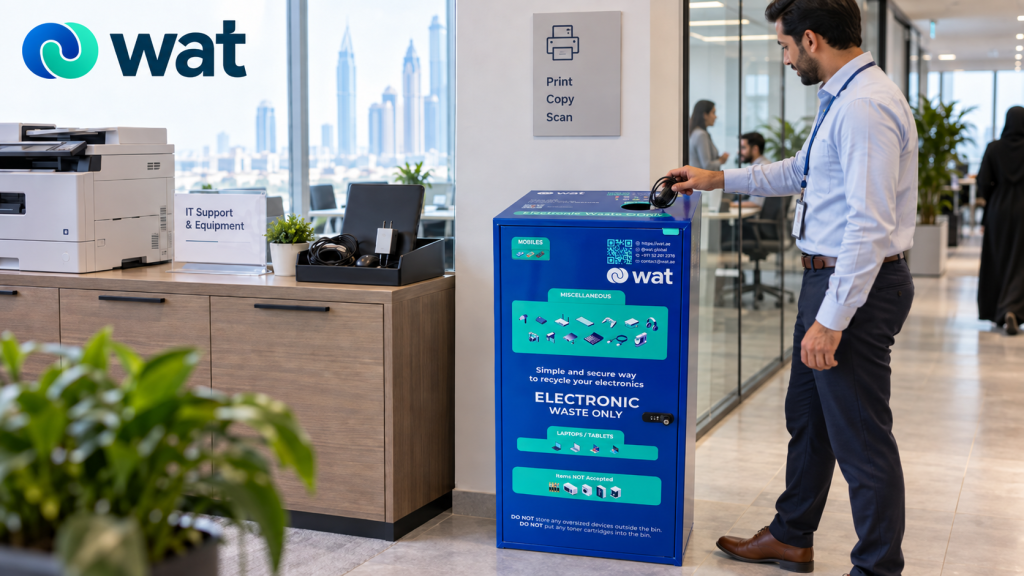
An office e-waste bin only works if people know where to find it.
Many companies introduce e-waste bins with the right intention, but place them in a corner where employees rarely go, inside a locked room that only one team can access, or beside regular waste bins without clear instructions. The result is predictable: old electronics still end up in drawers, storage cabinets, open boxes, desk trays, or general waste areas.
Placement matters because e-waste handling is partly about behavior.
If the bin is visible, clearly labelled, and placed near the right activity zones, employees are more likely to use it. If it is hidden, confusing, or treated like a normal trash bin, the system becomes weak before collection even begins.
For UAE offices, the right placement can help create a cleaner route for laptops, tablets, phones, USBs, chargers, cables, headphones, keyboards, mice, power banks, and other electronics that should not be mixed with regular office waste.
This guide explains where companies should place e-waste bins in the office, what each location is best for, and how to keep the process practical, secure, and easy for employees to follow.
Why bin placement is more important than it looks
A dedicated e-waste bin is not just a container. It is a decision point.
When an employee has an old charger, used phone, faulty keyboard, outdated tablet, or retired laptop, the location of the bin helps decide what happens next. If the e-waste bin is easy to find, the item is more likely to enter a responsible collection route. If the bin is hard to find, the item may stay unmanaged or be thrown into the wrong place.
Good placement helps companies:
● separate electronics from general waste
● make responsible disposal easier for employees
● keep data-bearing devices more visible
● reduce clutter in drawers, cabinets, and IT rooms
● support fire-safety controls for battery-containing items
● create a cleaner handover process for collection
● encourage consistent behavior across teams and floors
The bin location should match the way people actually move through the office. It should also match the type of electronics being collected.
A bin for chargers and cables may be placed in a common area. A secure route for laptops, phones, tablets, and storage devices may need more control. The best office setup usually uses both visibility and responsibility together.
Placement affects whether people actually use the bin
A workplace recycling study published in the Journal of Applied Behavior Analysis found that container proximity can strongly affect recycling behaviour. In the study, only 28% of recyclable office paper was recycled when a central container was used. When recycling containers were placed closer to participants, 85% to 94% of recyclable paper was recycled.
The same placement principle can apply to office e-waste bins. If an e-waste bin is hidden in a storage room, employees may keep old phones, tablets, laptops, chargers, USBs, and accessories in drawers or place them in the wrong bin. When the bin is visible, clearly labelled, and easy to reach, responsible disposal becomes much easier.
The U.S. EPA’s commercial building waste guide also recommends making bins visible and convenient, using clear signage, and keeping trash and recycling options together so people have both choices in one place.
Start by deciding what the bin is meant to collect
Before choosing locations, companies should define what the e-waste bin is for.
WAT bins should not be understood as only a place for cables and small accessories. Office e-waste can include both smaller items and larger or data-bearing devices, depending on the company process and the type of bin used.
Common office electronics may include:
● laptops
● tablets
● mobile phones
● USB drives
● external hard drives
● chargers and adapters
● cables and wires
● keyboards and mice
● headphones and headsets
● desk phones
● routers and small networking devices
● power banks and small battery-containing items
● electronic accessories and small gadgets
Not all of these items carry the same risk.
A cable is different from a laptop. A keyboard is different from a USB drive. A phone, tablet, laptop, or hard drive may contain business information, saved accounts, customer data, files, or access credentials. These items need a more controlled process than low-risk accessories.
That is why placement should not be random. Companies should think about both convenience and security.
Best office locations for e-waste bins
The right locations depend on the office size, number of employees, device use, security needs, and available space. In many workplaces, these areas work well.
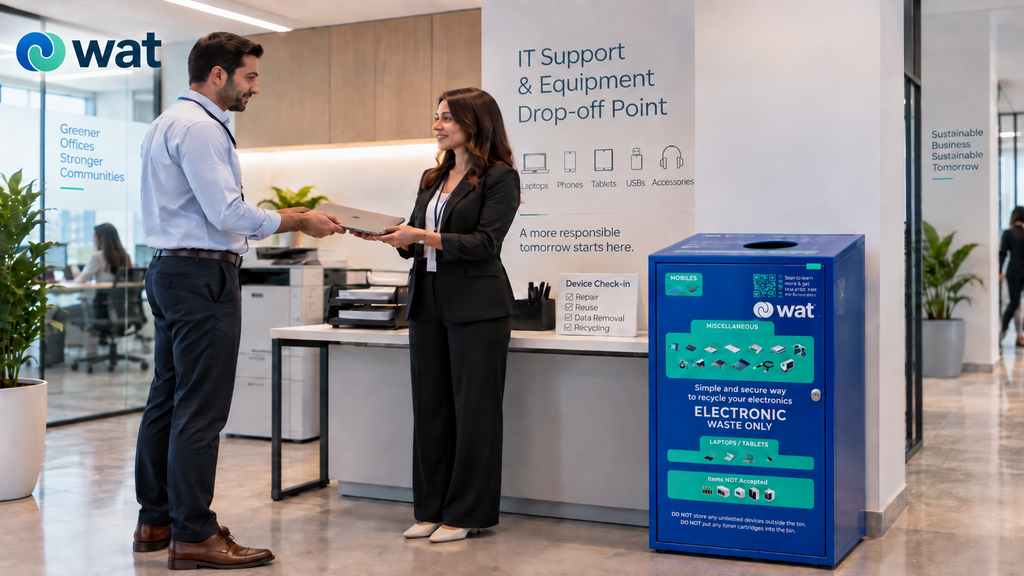
1) IT rooms or IT helpdesk areas
The IT room is one of the most useful places for an e-waste bin or controlled electronics collection point.
This is where employees often bring old laptops, damaged devices, faulty chargers, phones, tablets, docking accessories, and equipment that needs review. It is also where IT teams can decide whether an item needs repair, reuse, data removal, secure handling, or disposal.
An IT-area bin is especially useful for:
● laptops and tablets
● phones and handheld devices
● USBs and storage devices
● networking accessories
● devices removed during refresh cycles
● items that need data review before handover
Because data-bearing devices can create security risks, companies should avoid treating the IT-area bin as an open, unmanaged drop zone. It should be clearly labelled, monitored, and connected to an approved internal process.
For companies managing larger device refreshes, WAT’s guide on Office IT Refresh in the UAE explains why collect, store, erase, and handover should be planned together.
2) Printer, copy, and shared equipment areas
Printer and copy areas are natural places for smaller office electronics because employees already visit them during the workday.
These areas can work well for lower-risk accessories such as old cables, mouse devices, keyboards, adapters, headsets, and small electronic items. They are visible enough to remind employees that electronics should be separated from general waste.
However, companies should be careful not to place the e-waste bin directly beside regular trash without signage. If a regular bin and e-waste bin look too similar, employees may mix waste streams by accident.
A simple sign above the bin can make the difference clear: electronics only, no food waste, no paper waste, and no general trash.
3) Reception or front-office areas
Reception areas can be useful when the company wants a visible collection point for employees, visitors, or smaller branch offices.
This location works best when the bin is supervised or located where front-office staff can see it. It can support awareness and make the e-waste program feel official rather than hidden in the back office.
Reception placement may be useful for:
● small offices with limited space
● shared workspaces
● branch offices
● employee drop-off campaigns
● low-risk accessories and small electronics
For laptops, phones, tablets, USBs, hard drives, or other data-bearing devices, reception should not become an uncontrolled open collection area. Those devices should either go into a secure e-waste bin or follow an internal handover route through IT, facilities, or office management.
4) Pantry, breakout, or common areas
Common areas can be good for awareness because employees pass through them often.
A pantry or breakout area can work well for collecting low-risk items such as chargers, cables, small accessories, and old headphones. It can also remind employees that electronic waste is different from regular office waste.
But this location needs clear boundaries.
Do not place the e-waste bin where food waste, liquids, or general trash are likely to be mixed in. Electronics should stay dry, separate, and clearly labelled. If the area is busy, signage becomes even more important.
5) Near employee exits or lift lobby areas
Exit points can be effective because employees often remember old items when they are leaving the office or clearing desks.
A bin near an employee exit, lift lobby, or internal corridor can make drop-off convenient without requiring people to visit IT or facilities for every small item.
This placement can work well for regular collection habits, but it should be used carefully. If the area is too public or accessible to visitors, data-bearing devices should not be left there without control.
A good approach is to use exit-area bins for accessories and smaller electronics, while directing laptops, tablets, phones, USBs, and hard drives to a more secure route.
6) Facilities, admin, or office management zones
Facilities and office management teams often own the practical side of workplace waste, storage, vendors, and site coordination.
Placing a bin or controlled staging point near the facilities or admin area can help create accountability. Someone can monitor fill levels, answer employee questions, prevent contamination, and coordinate collection before the bin becomes another storage problem.
This is especially useful for companies with multiple floors, shared service areas, or frequent office cleanups.
7) Each floor or department in larger offices
One bin may not be enough for larger offices.
If employees must walk several floors or cross the full office to find the e-waste bin, many items will stay in drawers or be placed in the wrong bin. Multi-floor offices may need collection points on each floor.
For companies with several offices or branches, WAT’s guide on standardizing e-waste handling across multiple locations is a useful next step.
Where companies should not place e-waste bins
Some locations create more problems than they solve. Companies should avoid placing e-waste bins:
● beside food waste without clear separation
● in wet areas or places where liquids are common
● near heat sources or direct sunlight
● in emergency exits or walkways where they block movement
● inside rooms employees cannot access
● next to regular trash bins without signage
A poorly placed bin can confuse employees and create a false sense of control. The point is not just to place a container somewhere. The point is to create a reliable collection route.
A secure e-waste bin is not an open box
Many offices already have an informal electronics box somewhere. It may sit under an IT desk, inside a store room, or beside the printer area.
That is not the same as a secure e-waste bin.
Open boxes can be useful for temporary sorting, but they are not enough for devices that may contain data, batteries, or sensitive components. Laptops, phones, tablets, USB drives, hard drives, access devices, and some smart office equipment need more control.
A secure e-waste bin or controlled collection point should help the company answer basic questions:
● what types of items are allowed
● who reviews the contents
● how data-bearing devices are handled
● how damaged or battery-concern items are separated
● when collection or handover happens
● who owns the internal process
A structured system, like WAT’s e-waste bins and proprietary e-waste management system, can help companies move from informal storage to a more responsible route that supports data security, fire-safety awareness, and sustainability.
Need help choosing the right bin locations?
If your office is planning where to place e-waste bins, WAT can help you choose collection points for everyday electronics, data-bearing devices, damaged items, and mixed office accessories.
Request an e-waste collection or contact WAT to plan a secure e-waste bin setup that supports safer and more consistent electronics handling in your UAE workplace.
Use signage to make the bin easy to understand
Even the best location will fail if employees do not know what belongs in the bin.
Signage should be simple and visible. It should not read like a full policy document. A good sign can show examples of what can go in, what should not go in, and what needs separate handling.
The sign may include categories such as:
● laptops, tablets, and phones – follow company data-handling rules
● USBs and hard drives – secure handling required
● chargers, cables, adapters, keyboards, and mice – accepted
● power banks or battery-concern items – ask facilities or IT before placing
● no food waste, paper waste, liquids, or general trash
This helps employees make quick decisions without guessing.
It also reduces contamination. If food, paper, liquids, or regular trash enter the e-waste bin, collection becomes less clean and more difficult to manage.
Decide who owns the bin
A bin without an owner becomes another storage problem.
Before placing e-waste bins in the office, companies should decide who is responsible for:
● checking the bin regularly
● answering employee questions
● coordinating pickup or handover
● updating signage when needed
● tracking issues such as overflow
Ownership may sit with IT, facilities, office management, sustainability, admin, or a shared internal team. The exact owner is less important than the clarity of ownership.
For companies building a wider internal process, a written e-waste policy can help define roles and responsibilities.
WAT has covered this in its related guide: A Practical E-Waste Policy for UAE Businesses.
Plan for damaged or battery-containing items
Some items should not be treated like routine e-waste.
If an item has a swollen battery, leakage, overheating, exposed wires, strong odor, cracked casing, or visible damage, employees should not simply place it into the nearest bin without guidance.
Companies should create a simple escalation rule:
● do not charge or test damaged battery-containing devices
● do not stack heavy items on top of them
● do not mix them with routine accessories
● inform IT, facilities, or the responsible site owner
● store them separately before collection where practical
For more detailed pre-pickup handling, see WAT’s guide on Damaged Electronics in UAE Offices.
Common mistakes to avoid
When placing e-waste bins in the office, avoid these common mistakes:
● placing the bin where employees rarely go
● using an open cardboard box for data-bearing devices
● putting e-waste bins beside regular trash without signage
● collecting laptops, tablets, and phones without a data-handling rule
● letting bins overflow
● placing bins in wet or food-heavy areas
● forgetting damaged or battery-containing items
● making IT, facilities, and office management assume someone else owns the process
Most of these problems are easy to prevent with better placement, clearer instructions, and defined ownership.
FAQs
Where is the best place to put e-waste bins in an office?
Useful locations include IT rooms, printer areas, reception, common areas, facilities zones, and employee corridors. The best location depends on what the bin collects and how much control the company needs.
Should laptops and phones go into office e-waste bins?
Yes, if it is a WAT electronics recycling box. Laptops, phones, tablets, USBs, and hard drives can be placed in it as part of WAT’s controlled collection process.
Can chargers and cables go into office e-waste bins?
Yes, chargers, cables, adapters, keyboards, mice, headsets, and similar accessories are common office e-waste items and should be separated from regular trash.
Should an e-waste bin be placed beside regular trash bins?
Only if there is clear signage and enough separation. If the bins look too similar or sit too close together, employees may mix electronics with general waste by mistake.
Who should manage office e-waste bins?
This can be handled by IT, facilities, office management, admin, sustainability, or a shared internal team. The important point is that ownership should be clear.
Do damaged electronics need a separate process?
Often, yes. Items with swollen batteries, leakage, overheating, exposed wires, or serious damage should not be placed casually into a routine bin. They should be handled through the company’s safety or facilities process before collection.
If your office wants to set up e-waste bins but is not sure where they should go, WAT can help you create a clearer collection route for laptops, tablets, phones, chargers, cables, accessories, and other workplace electronics.
Request an e-waste collection or contact WAT to discuss how secure e-waste bins can support better placement, safer handling, data removal, hard disk shredding, asset destruction, and responsible electronics disposal for your UAE workplace.