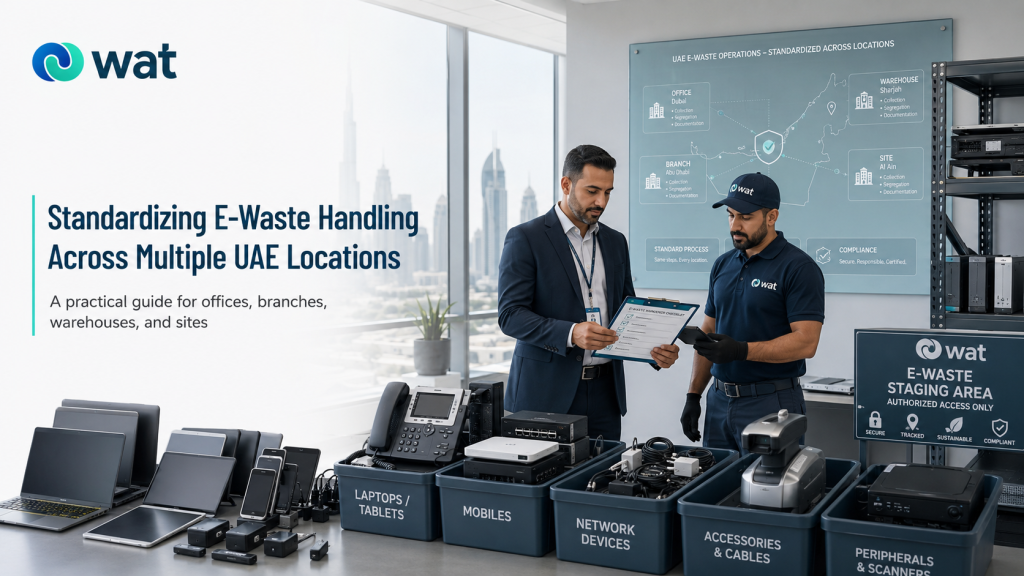
For a single office, e-waste handling can sometimes be managed informally.
For a multi-location business, that usually stops working very quickly.
One branch keeps retired devices in a locked cabinet. Another leaves them in a store room. One office labels everything clearly. Another site piles old electronics into mixed boxes. A warehouse may treat handhelds and scanners as operations equipment rather than retired electronics, while the head office expects the same controls across every location.
The result is not always a dramatic failure. More often, it is inconsistency.
Retired devices sit on site longer than expected. Handover records vary from one branch to another. Active and retired equipment get mixed. Data-bearing devices are not always handled the same way. Accessories, chargers, docks, and cables get separated from the devices they belong to and disappear into general storage.
That is why multi-location businesses need more than good intentions. They need one consistent operating model.
This guide is for UAE businesses with multiple offices, branches, warehouses, service sites, retail locations, or other operational sites that want a more practical way to standardize e-waste handling across the organization.
Why multi-location businesses struggle with e-waste consistency
The problem is usually not that teams do not care.
The problem is that each site develops its own habits.
That happens for simple reasons:
- different sites have different managers
- storage conditions vary from one location to another
- some teams treat electronics as IT assets, others treat them as site equipment
- branches improvise when there is no shared process
- head office may define expectations, but not the actual working steps
Over time, this creates avoidable gaps:
- one site keeps useful records, another does not
- one branch separates damaged items, another mixes them into the main batch
- one team flags data-bearing devices properly, another assumes everything is low risk
- collections are harder to coordinate because every location prepares the batch differently
For multi-location businesses, standardization is less about making every site identical and more about making every site follow the same minimum rules.
What standardization should actually achieve
A good multi-site process should make it easy to answer these questions at any location:
- What counts as retired electronics here?
- When does an item enter the retirement process?
- Who owns the process locally?
- How should devices be grouped and stored before pickup?
- How should damaged or battery-containing items be handled?
- What information should be recorded at handover?
- What should the head office expect to see from every site?
If those answers are different at every branch, the process is not standardized yet.
What multi-location standardization does not mean
Standardization does not mean every site needs the exact same room layout, storage space, or staffing model.
A city office, a warehouse, a retail branch, and a technical site may all operate differently.
What should stay consistent is the operating baseline:
- the same definitions
- the same minimum controls
- the same category logic
- the same documentation rules
- the same handover expectations
That gives the business consistency without forcing every site into an unrealistic setup.
The practical standardization model businesses can use
1) Start with one group-wide process, not separate site habits
The first step is to define one core process for the whole business.
That process should answer:
- what goes into the e-waste stream
- who approves retirement
- how items are grouped
- how they are stored before collection
- what happens at handover
- what records are kept afterward
Without that shared baseline, each site will keep building its own version.
This does not need to be a long document. It just needs to be clear enough that every location can follow the same logic.
2) Use one central owner and one local contact per site
Multi-location handling works best when ownership is split in a practical way.
A common model is:
- central owner — sets the process, templates, and minimum controls
- site contact — applies the process at the local office, branch, or facility
The central owner may sit with IT, facilities, operations, office management, or a governance lead. The local contact may be a site manager, admin lead, supervisor, branch manager, or facilities contact.
This model works well because it avoids two common problems:
- head office owning the process but not the site reality
- local sites improvising because no one owns the details centrally
3) Define one clear rule for when a device becomes “retired”
This is one of the easiest places to lose consistency.
A device should enter the retirement process when it is:
- no longer approved for active business use
- no longer part of an approved working spare pool
- awaiting controlled handover, data handling, disposal, or another approved downstream path
That definition matters because businesses often mix together:
- inactive devices
- temporarily stored devices
- spare equipment
- formally retired electronics
If sites use different meanings for “retired,” the rest of the process becomes inconsistent too.
4) Standardize device categories across all sites
If one branch logs “electronics,” another logs “IT waste,” and another logs “miscellaneous old devices,” useful visibility is lost.
Use the same categories everywhere.
A practical structure might include:
- laptops and desktops
- monitors and docking stations
- phones and tablets
- printers and multifunction devices
- servers and network equipment
- handhelds, scanners, and branch devices
- cables, chargers, docks, and accessories
- damaged devices
- battery-containing devices
- loose drives or storage media where relevant
This makes inventory, staging, and handover much easier to compare across locations.
5) Use the same staging standard everywhere
Every site may not have the same room or storage area, but every site should follow the same staging rules.
That usually means:
- a controlled holding area
- clear labels
- grouping by category
- separation of active and retired equipment
- separate handling for damaged or battery-containing items
- readiness for a clean pickup handover
If your business needs a more detailed storage framework for local sites, see our blog:
Retired IT Assets in UAE Offices: How to Store Devices Securely Before Pickup (Physical Security + Labeling + Access Control).
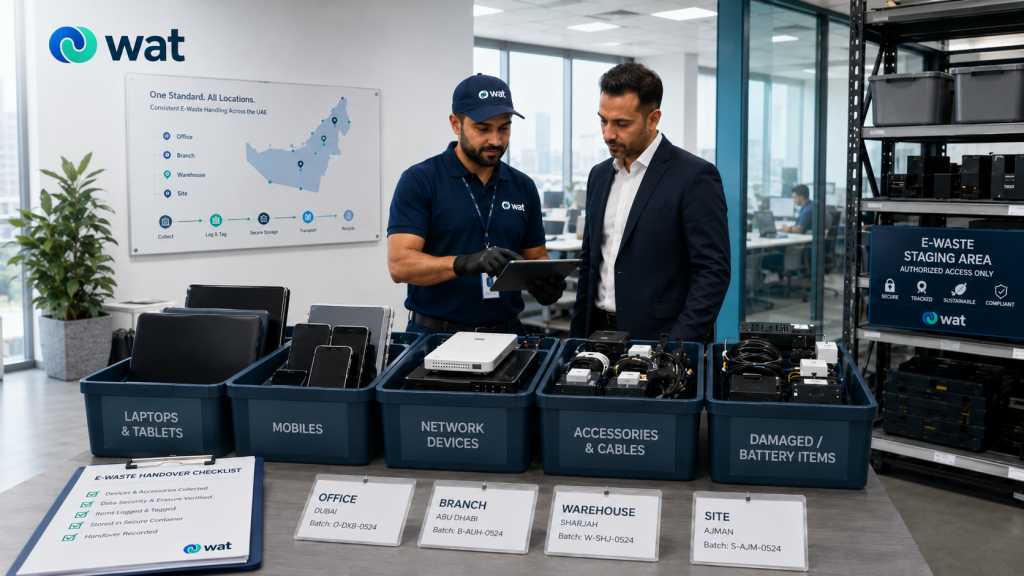
6) Keep devices with their related cables and accessories where practical
This is one of the easiest improvements multi-location businesses can make.
Chargers, docks, adapters, cables, and related accessories often get separated from the main device during site cleanups or branch-level staging. Once that happens, they are harder to identify, easier to lose, and more likely to end up mixed into general storage.
A practical rule is:
where devices have related accessories, keep them together wherever practical rather than separating them into mixed boxes.
This helps prevent parts from disappearing and makes it easier for complete items to move through the right downstream path.
7) Use one rule for active vs retired equipment
A lot of site-level confusion comes from poor separation between what is staying and what is leaving.
Every location should follow the same rule:
if equipment is staying in active use, it should not be stored anywhere near the retirement batch.
This matters during:
- phased refreshes
- office moves
- branch closures
- warehouse upgrades
- stockroom cleanouts
If active and retired devices are stored together, mistakes become much more likely.
8) Standardize how data-bearing devices are handled
Not every retired device carries the same data risk, but every site should follow the same internal rule for identifying and routing data-bearing equipment.
That may apply to:
- laptops and desktops
- servers and storage devices
- phones and tablets
- removable media
- some network or branch devices depending on use
The key point is consistency.
The head office should not assume one site is arranging data handling properly while another site is treating everything as low-risk general electronics.
For a broader look at why controlled downstream handling matters for business devices, see our blog:
5 Key Data-Security Risks in IT Asset Disposal (ITAD) for UAE Businesses and How to Mitigate Them.
9) Use one exception process for damaged and battery-containing items
Special cases are where standardization usually breaks.
A strong multi-location process should make it clear what sites must do with:
- damaged electronics
- devices with broken screens
- battery-powered equipment
- visibly swollen or heat-affected devices
- loose drives or other higher-control items
The rule does not need to be complicated. It just needs to be the same across the business:
- separate them clearly
- label them properly
- do not mix them into the general batch
- include them in the handover notes
This avoids the situation where one site handles damaged items carefully while another treats them as a routine add-on.
10) Give every site the same minimum documentation fields
You do not need every branch using a complex asset system.
But you do need the same minimum information from every site.
At minimum, require:
- site name
- department, room, or area where relevant
- device categories
- quantities
- condition notes where relevant
- notes for damaged or battery-containing items
- internal releasing contact
- collection or transfer date
- receiving party at handover
- batch reference if used internally
This is usually enough to create useful traceability across the organization.
11) Use one collection-day checklist for all sites
A simple checklist makes standardization much more practical.
For example:
- Is the batch fully retired from active use?
- Has active equipment been separated?
- Are categories grouped correctly?
- Are damaged or battery-containing items separated?
- Are key accessories kept with the relevant devices where practical?
- Is the holding area ready?
- Is the site contact confirmed?
- Is the handover record ready?
This kind of checklist is often what turns a head-office rule into something local teams can actually follow.
12) Review the first few batches and tighten the weak points
Multi-location standardization rarely becomes strong on day one.
After the first few batches, review the process across sites and ask:
- Which sites followed the process well?
- Where did confusion still happen?
- Were categories interpreted consistently?
- Did staging work properly everywhere?
- Were accessories getting separated from the main devices?
- Did all sites keep the same minimum records?
- Did collection-day coordination vary too much?
This review is where the process becomes operationally useful rather than just documented.
What good multi-location handling looks like
A good result usually looks like this:
- every site uses the same category logic
- every site knows when a device enters the retirement process
- every site has a named local contact
- every site follows the same baseline staging rules
- active and retired equipment are kept separate
- damaged and battery-containing items are handled consistently
- accessories are not being lost into mixed storage
- handover records are comparable across locations
That is what standardization should feel like in practice.
Common mistakes businesses can avoid
Letting every site invent its own method
That usually creates inconsistent records, uneven controls, and harder collection planning.
Writing a central process that local sites cannot actually follow
The process should be consistent, but still realistic for different site types.
Ignoring branch electronics and operational devices
Scanners, handhelds, POS units, and similar devices should not fall outside the standard.
Mixing active and retired equipment
This creates avoidable mistakes during staging and handover.
Letting accessories drift into general storage
Cables, chargers, docks, and adapters should not disappear into mixed stock if they belong with the retired devices.
Using different documentation standards by site
If every location records something different, the head office loses visibility.
FAQs
What is the main goal of standardizing e-waste handling across multiple sites?
To give every location the same minimum rules for identifying, grouping, storing, handing over, and documenting retired electronics.
Do all locations need the exact same setup?
No. The physical setup can vary, but the minimum process and controls should stay consistent.
Who should own a multi-location e-waste process?
Usually one central owner should set the rules, while each site has a local contact responsible for applying them.
Should scanners, handhelds, and branch devices be included in the same process?
Yes. These devices are often the easiest to overlook, so they should sit inside the same group-wide handling model.
What is the simplest way to improve consistency across sites?
Use one category structure, one checklist, one staging standard, and one minimum handover record across the business.
If your business operates across multiple offices, branches, warehouses, or service locations and wants a more consistent approach to retired electronics, WAT can help support collection planning, site coordination, more structured downstream handling, and digital tracking through our platform so teams can manage the process with more unified visibility across sites. Request a collection or contact WAT to discuss your multi-location requirements.