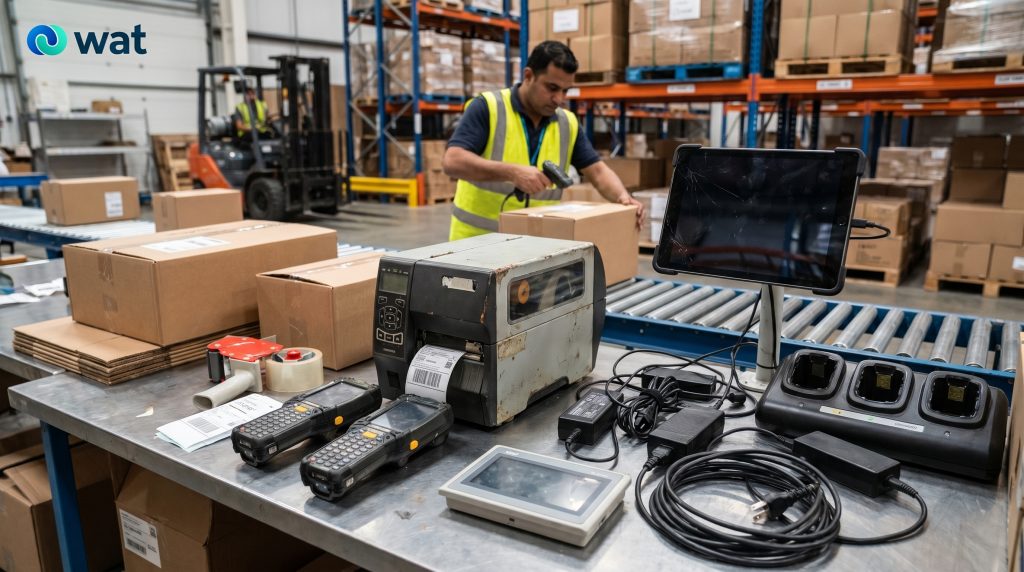
When UAE businesses think about e-waste, the first items that usually come to mind are laptops, monitors, desktops, and phones.
In warehouses and industrial sites, the hidden layer is often somewhere else.
It sits on charging shelves, in maintenance rooms, inside operations cabinets, beside packing stations, near dispatch desks, on forklift charging points, inside production areas, and in corners that no one thinks of as “IT.” That is where old handheld scanners, label printers, rugged mobile devices, HMIs, control panels, accessories, docks, adapters, and damaged support electronics tend to accumulate.
The problem is not just volume. It is visibility.
These devices are often small enough to be overlooked, operational enough to be “kept just in case,” and mixed enough with tools, spares, and maintenance items that they do not move through the same retirement process as office IT. Our own “smart office and IoT” post already notes that overlooked electronics quietly build up across facilities, warehouses, and remote sites, while its battery guide points out that portable and embedded battery devices have grown significantly across warehouses and field operations. (blog.wat.ae) (blog.wat.ae)
That is what makes this category easy to mishandle.
This guide is for UAE businesses that operate warehouses, logistics sites, industrial facilities, workshops, factories, service yards, or multi-site operational environments and want a practical way to retire these hidden electronics with more control.
Why warehouse and industrial e-waste gets missed
Warehouse and industrial electronics do not always look like “traditional IT assets.”
A scanner on a charging dock may be treated like an operations tool, not a device retirement item. A label printer may sit in the same area as spare parts and packaging materials. A control panel or HMI may be removed during a line change, then left in maintenance storage because no one is sure whether it should be kept, stripped for parts, or handed over for disposal.
That creates three common problems:
- devices stay on site far longer than planned
- battery-powered or damaged items get mixed into ordinary storage
- equipment with settings, logs, or business-linked configurations is handed off without a structured process
For UAE businesses, that matters because electronic waste and battery waste sit within a regulated waste-management environment, so controlled handling is more practical than informal disposal or mixed site storage.
What devices this article covers
This article focuses on the warehouse and industrial electronics that are commonly missed during clean-outs, refreshes, relocations, equipment upgrades, and maintenance work.
Typical categories include:
- handheld scanners and rugged mobile devices
- barcode scanners and mobile data-collection units
- label printers and shipping printers
- charging docks, cradles, adapters, and power units
- tablets or mounted site devices used in operations
- HMIs and operator-interface screens
- small control panels and supporting electronics removed during equipment changes
- damaged accessories, loose batteries, cables, and power components
Not every one of these items carries the same level of data or handling risk. But operationally, they should still move through one controlled retirement process rather than being left in mixed site storage.
Why these devices are different from ordinary office e-waste
There are a few reasons these assets need a slightly different approach.
They are spread across the site.
Instead of sitting in one IT room, they are often distributed across loading bays, packing stations, production cells, dispatch desks, control cabinets, and maintenance areas.
They are easy to keep as “temporary spares.”
Because many of them are small and operationally useful, they are often kept long after they should have moved through retirement.
Many are battery-powered or damage-prone.
Handhelds, scanners, and rugged devices often rely on rechargeable batteries, while our published guidance specifically notes that warehouses and field operations now hold a growing volume of portable battery-containing equipment. (blog.wat.ae)
Some may still hold business-linked information or settings.
Even where the device is not a full workstation, it may still be tied to operational workflows, configurations, or stored settings, so it should not automatically be treated like low-risk general scrap.
The practical workflow warehouse and industrial teams can use
1) Start with a site walk-through, not a desk review
The fastest way to miss hidden e-waste is to rely only on an IT list.
For this kind of site, the process should start with a physical walk-through of the actual operating areas, including:
- receiving and dispatch points
- picking and packing stations
- warehouse supervisor desks
- charging shelves and docking points
- printer stations
- maintenance rooms
- control cabinets and removed-equipment storage areas
- spare-parts rooms where electronics have ended up informally
This matters because the hidden devices are often not where the formal asset list says they should be.
2) Create a simple category-based inventory
This does not need to be a complex technical register. It just needs enough structure to stop items disappearing into “miscellaneous.”
A practical list should include:
- site name
- area or zone
- device category
- quantity
- make/model where visible
- condition
- notes for damaged units, batteries, docks, or loose parts
This is usually enough for warehouse and industrial sites, especially when the real problem is mixed, scattered equipment rather than perfect asset history.
3) Separate by category before anything goes to storage
Do not let scanners, printers, HMIs, cables, docks, batteries, and damaged units collapse into one combined pile.
Use separate groups for:
- handhelds and scanners
- printers and print-related accessories
- HMIs and operator-interface screens
- control panels and related electronics
- docks, chargers, adapters, and power units
- battery-containing items
- visibly damaged or special-handling items
This single step makes the whole project easier. It improves counting, reduces confusion, and makes the final handover far cleaner.
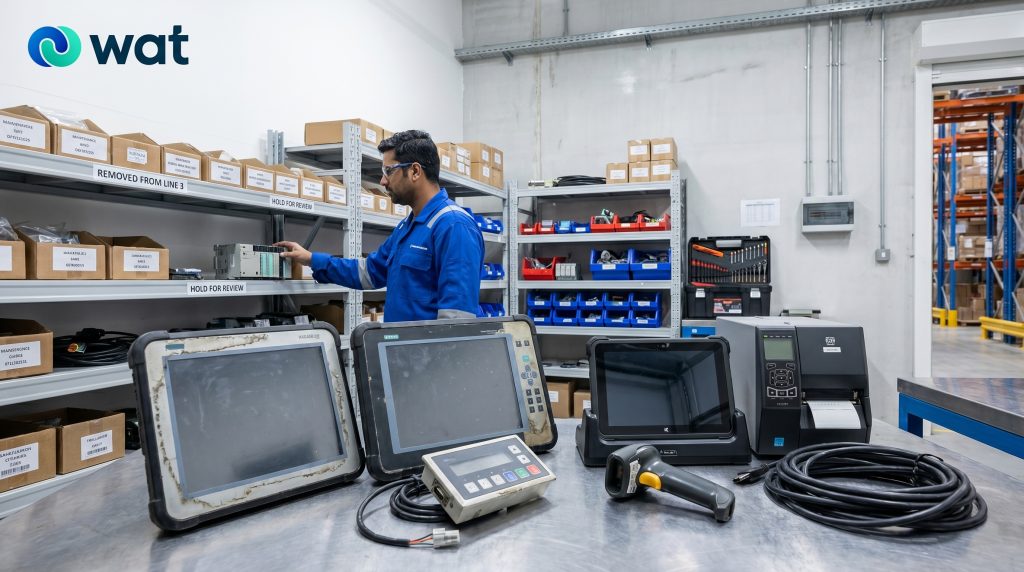
4) Treat battery-powered handhelds and scanners more carefully
Many warehouse and industrial devices are portable, docked, and battery-powered. Our battery guide explicitly notes that batteries now appear not only in laptops and phones, but also in handheld scanners, radios, and other portable equipment used in workplaces, warehouses, and field operations. (blog.wat.ae)
That means teams should not treat old handhelds and scanners like ordinary mixed electronics.
Basic rules:
- keep battery-powered devices separate from general accessories
- do not compress damaged devices into overloaded boxes
- keep visibly damaged, swollen, or heat-affected items isolated
- store the batch away from heat sources and heavy stacking
- label battery-related items clearly for handover
For a practical workplace guide on this point, see our blog:
Lithium-Ion Batteries in the Workplace: Safe Storage & Disposal in the UAE (Power Banks, Laptops, UPS, Tools).
5) Do not assume industrial electronics are low-risk just because they are not office PCs
This is where many teams make the wrong call.
A handheld scanner, HMI, mounted tablet, label printer, or control interface may not look like a conventional office computer, but it can still be linked to business processes, network settings, device configurations, or operational records depending on the environment and model. HMIs and similar interface devices are part of day-to-day industrial operations, which is why retired units should be handled as controlled business electronics rather than casual mixed scrap.
The practical rule is simple:
if the device was part of an operational system, do not assume it is risk-free just because it is small, rugged, or no longer in use.
For a broader look at why controlled handover matters for business electronics, see our blog:
5 Key Data-Security Risks in IT Asset Disposal (ITAD) for UAE Businesses — and How to Mitigate Them.
Our published article specifically highlights the risk of asset loss or mishandling during collection or transport when temporary storage is uncontrolled and chain-of-custody procedures are unclear.
6) Set up a controlled holding area before pickup
Warehouse and industrial sites often already have spare-parts rooms or maintenance shelves, but those are not always suitable as retirement holding areas.
A better short-term holding area should be:
- controlled-access
- clearly labeled
- organized by category
- separated from general consumables and spare parts
- suitable for damaged or battery-related items
This is particularly important on busy sites, where equipment can easily be moved, reused informally, or mixed into other maintenance stock.
7) Keep handover records simple but consistent
You do not need a long report. You do need a clean batch record.
At minimum, keep:
- site name
- collection date
- categories and quantities
- notes for battery-powered or damaged items
- releasing contact
- receiving party
- any internal batch reference
That is usually enough to create useful traceability without overcomplicating the process.
Category-specific notes teams often miss
Handheld scanners and rugged mobile devices
Common issues:
- left on charge long after retirement
- mixed with spare batteries and docks
- spread across multiple operating zones
Practical approach:
- collect devices with their docks where possible
- separate batteries and damaged units clearly
- label by site zone or department
Label printers and shipping printers
Common issues:
- treated like ordinary office printers
- mixed with cables, labels, or packaging stock
- removed during process changes and forgotten in storage
Practical approach:
- separate printers from accessories
- keep power units and print-related hardware grouped
- avoid mixing retired printers with working spares
HMIs and operator-interface screens
Common issues:
- removed during upgrades and left in maintenance stores
- detached from the systems they came from
- unclear whether they should be retained, dismantled, or handed over
Practical approach:
- label by line, machine, or area where possible
- keep removed screens and interface hardware together
- treat them as controlled operational electronics, not miscellaneous scrap
Control panels and removed support electronics
Common issues:
- partial dismantling leaves mixed components
- cables, brackets, and modules lose context
- removed parts end up in long-term storage “just in case”
Practical approach:
- separate control-related electronics from general metal or scrap streams
- keep like items grouped together
- note incomplete or damaged condition clearly before handover
Common mistakes warehouse and industrial teams can avoid
- treating operations devices like ordinary low-value scrap
- mixing handhelds, chargers, cables, and batteries into one box
- leaving retired equipment across multiple site locations
- using spare-parts rooms as uncontrolled retirement storage
- assuming small devices do not need documentation
- forgetting that removed industrial electronics may still need deliberate downstream handling
FAQs
Do handheld scanners and rugged devices count as e-waste when retired?
Yes. Once they are out of service and being discarded, they should move through a controlled e-waste process rather than ordinary site waste handling.
Should battery-powered scanners and handhelds be separated from other equipment?
Yes. Portable battery-containing devices should be segregated clearly, especially if they are damaged or showing signs of heat, swelling, or wear.
Do HMIs and control panels need more deliberate handling than general scrap?
Yes. They are part of operational systems, and removed units should be treated as controlled electronics rather than casual mixed waste.
What is the simplest way to avoid losing track of hidden site electronics?
Start with a physical walk-through, group items by category, use a controlled holding area, and keep a simple batch-based handover record.
What records should we keep at pickup?
At minimum: site name, date, categories, quantities, any battery-related or damaged-item notes, and who released and received the batch.
If your warehouse, logistics site, workshop, or industrial facility has accumulated handhelds, scanners, printers, HMIs, control panels, or other overlooked electronics and you want a more controlled handover process, WAT can help you organize collection, staging, and responsible downstream handling. Request a collection or contact WAT to plan the next batch.