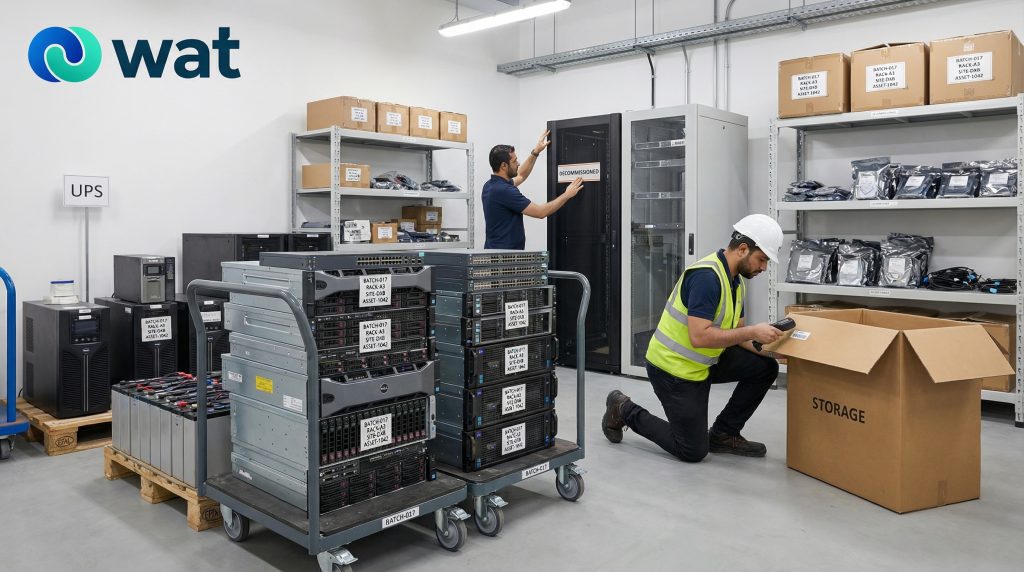
Data center decommissioning is not the same as clearing out ordinary office electronics.
When servers, storage systems, rack hardware, UPS units, PDUs, switches, and related infrastructure come out of service, the site is usually dealing with several issues at once: asset volume, access control, sensitive data, batteries, heavy equipment movement, and pressure to clear the space without losing control of the batch.
That is why decommissioning works best as a structured retirement project, not a last-minute removal exercise.
For UAE businesses, this often happens during a server refresh, office consolidation, cloud migration, facility closure, rack reduction, or infrastructure upgrade. In all of those cases, the challenge is not simply getting hardware out of the room. The challenge is retiring it in a way that keeps the environment organized, separates high-risk items properly, and creates a clean handover from site to final processing.
This guide is designed for UAE organizations managing a server room, technical room, edge site, or data center decommissioning project and wanting a practical process that internal teams can actually follow.
Why data center decommissioning needs a different workflow
A normal office retirement batch may involve laptops, monitors, and accessories.
A data center or server-room batch is different because:
- the hardware is denser and heavier
- the environment is more structured
- data-bearing equipment is more central to the project
- battery-backed systems such as UPS units need deliberate handling
- accessories and support hardware are easier to lose track of during removal
There is also another operational difference: decommissioning often happens in phases.
A team may first identify what is leaving service, then schedule shutdowns, then de-rack equipment, then stage it, then prepare pickup. If those steps are not controlled, the room can quickly shift from an orderly technical environment to an unstructured pile of mixed hardware.
That is where visibility breaks down.
What equipment this article covers
This guide is focused on the categories most commonly involved in data center and technical-room decommissioning:
- rack-mounted servers
- tower servers in technical spaces
- storage arrays, backup appliances, NAS, and SAN equipment
- network and support hardware connected to the rack environment
- racks, rails, shelves, PDUs, and supporting metal hardware
- UPS units and battery-backed support equipment
- loose drives or media removed during decommissioning
- cables, adapters, modules, and accessories
- damaged, obsolete, or incomplete infrastructure hardware awaiting handover
Not every item will carry the same level of data or handling risk, but the project should still be run as one controlled retirement process.
What a good decommissioning process should achieve
A good decommissioning workflow should do six things clearly:
- define what is in scope
- keep removal organized at rack and room level
- separate equipment by category and handling need
- confirm the data-handling path before assets leave the site
- stage heavy and battery-backed equipment safely
- create a documented handover from site to downstream processing
If those six outcomes are achieved, the project is much easier to manage and much easier to explain later.
The practical decommissioning workflow
1) Confirm the project scope before equipment starts coming out
Before anything is powered down, disconnected, or removed, confirm exactly what is in scope.
That usually includes:
- site name and room reference
- rack numbers or cage references
- asset groups being retired
- what remains in service
- whether hardware is owned, leased, or provider-managed
- whether damaged or incomplete units are already present
This matters because once equipment comes out of the rack, the original structure becomes harder to reconstruct. A clear scope prevents confusion later, especially when multiple teams are involved or when some hardware is being retired while other hardware remains active.
2) Assign roles across IT, facilities, and project ownership
A decommissioning project should not depend on one team doing everything informally.
At minimum, define:
- IT / infrastructure owner — confirms what is being retired and what the data-handling path should be
- Facilities / operations owner — manages access, staging, movement controls, and pickup readiness
- Project owner / business owner — keeps the timeline, approvals, and internal coordination aligned
In some organizations, one person may cover more than one function. That is fine. What matters is that ownership is visible and that teams know who approves each stage.
3) Build a rack-level decommissioning inventory
For this type of project, a generic “IT equipment list” is usually not enough.
A more useful inventory captures the room and rack context. Keep it practical:
- site and room name
- rack reference
- equipment category
- make/model where visible
- asset tag or serial number where relevant
- quantity
- condition
- notes for storage devices, battery-backed units, or damaged items
For larger projects, grouping by rack or zone usually works better than trying to document everything as one mixed list.
The goal is not to create a perfect spreadsheet. The goal is to stop equipment from becoming anonymous once it is removed.
4) De-rack in a controlled sequence, not as a room clear-out
One of the easiest ways to lose control of a decommissioning project is to remove equipment too quickly.
A better approach is to de-rack in a planned sequence:
- one rack or rack section at a time
- one category at a time where practical
- one staging flow, not multiple informal drop points
This keeps the batch easier to count, easier to label, and easier to reconcile.
It also helps avoid a common problem: loose rails, brackets, drives, and accessories getting detached from the hardware they belonged to and ending up in a miscellaneous pile.
5) Separate the batch by category before staging
Once equipment is removed, do not let everything collapse into one combined hardware stack.
Use separate groups for:
- servers and compute hardware
- storage arrays and data-bearing systems
- network and support devices
- UPS units and battery-backed equipment
- rack hardware such as rails, shelves, doors, and brackets
- cables, power leads, adapters, and accessories
- damaged or special-handling items
This step is one of the most useful in the whole project. It improves counting, reduces confusion during pickup, and lowers the chance of sensitive or heavy items getting mishandled.
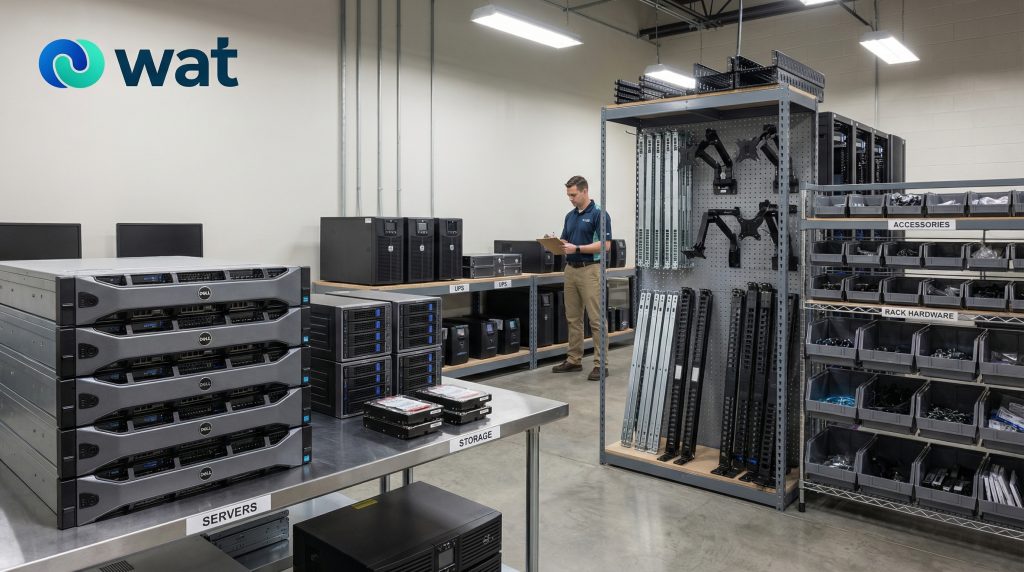
6) Set up a controlled staging area before pickup day
Data center hardware should move into a controlled staging area, not into hallways, loading areas, or open shared storerooms.
A good staging area should be:
- restricted-access
- clearly labeled by category
- suitable for counting and batch reconciliation
- stable enough for heavy equipment
- separate enough for damaged or battery-related items
This is especially important if the project runs over more than one day. Once equipment has been removed from service, staging becomes the main control point.
If your team already uses a secure staging approach for retired office devices, the same principle applies here, but with heavier equipment, more infrastructure hardware, and more need for clear segregation.
7) Treat servers and storage as data-bearing until the path is confirmed
This is one of the most important rules in data center decommissioning.
Servers, storage arrays, backup appliances, and loose storage media should be treated as data-bearing until the responsible internal owner confirms the required handling path. NIST’s current media-sanitization guidance still centers decision-making on the sensitivity of the information, the media type, and the future use of the media. (NIST Computer Security Resource Center)
Depending on internal policy and device condition, the path may include:
- data sanitization
- hard disk shredding
- asset destruction
- another approved secure-handling route
The important operational point is this: the decision should be made before the assets leave the site, not after pickup has already happened.
For a practical framework on choosing the right data sanitization approach before retirement, see our blog:
NIST 800-88 Explained for UAE Organizations: Clear vs Purge vs Destroy When Retiring Devices.
8) Handle UPS units and battery-backed equipment deliberately
UPS units should not be treated like ordinary scrap metal or general electronics.
They are heavier, harder to move, and may involve battery-related handling considerations. UAE waste-management rules and local frameworks support controlled handling, segregation, and proper disposal pathways for electronic waste and battery waste rather than informal mixing or disposal. (UAE Legislation)
Practical rules:
- keep UPS units separate from servers and rack hardware
- do not stack heavy items in ways that can worsen damage
- label damaged or non-working battery-backed units clearly
- keep them away from heat sources and uncontrolled storage
- note them separately in the handover record
If a UPS unit shows visible distortion, leakage, swelling, overheating signs, or obvious damage, isolate it from the standard equipment batch and treat it as a special-handling item.
For a practical workplace guide on handling battery-backed equipment, see our blog: Lithium-Ion Batteries in the Workplace: Safe Storage & Disposal in the UAE (Power Banks, Laptops, UPS, Tools).
9) Keep rack hardware, loose drives, and accessories under control
A lot of decommissioning projects become messy not because of the servers, but because of the supporting components.
That usually includes:
- rails
- shelves
- blanking panels
- PDUs
- brackets
- cables
- adapters
- loose modules
- loose drives or storage media removed during work
If these items are not grouped early, they tend to become a mixed “miscellaneous” pile that slows down counting and weakens traceability.
A practical rule is to separate:
- reusable support hardware still needed internally
- retired support hardware for handover
- loose media or drives requiring higher-control handling
- cables and accessories that belong with a defined batch
10) Use a formal pickup handover, not a loading event
Pickup should be treated as a structured custody transfer.
At minimum, record:
- pickup date
- pickup time
- site location
- room or rack reference where relevant
- releasing contact
- receiving party
- high-level category totals
- special notes for storage systems, loose media, damaged units, or UPS items
- batch ID or internal reference
This creates a clear transfer point between your site and the next stage of handling.
Without it, the project may be remembered as “the hardware was collected,” but not as a traceable, controlled handover.
11) Keep the final record trail connected to the original batch
A decommissioning project is only truly closed out when the documentation stays linked from start to finish.
That means your team should be able to connect:
- decommissioning inventory
- staging record
- pickup handover
- receiving confirmation
- final processing documentation
For larger organizations, this matters because finance, operations, internal audit, or management may later ask for a clean project trail.
Minimum records to keep
To keep the process practical, retain a minimum documentation set for each batch:
- site / room / rack reference
- date
- equipment categories
- quantities
- identifiers where relevant
- condition notes
- staging reference
- releasing contact
- receiving party
- pickup details
- notes for damaged, battery-backed, or data-bearing items
That is usually enough to maintain visibility without turning the project into paperwork overload.
Common mistakes teams can avoid
Treating the project like ordinary e-waste removal
A server-room decommissioning batch needs more structure than a standard office pickup.
Removing equipment too fast without category control
Once everything is mixed together, counting and traceability become harder.
Leaving the data decision until after pickup
That creates unnecessary confusion for servers, storage, and loose media.
Forgetting UPS units in the planning stage
These are often left until late in the project, which creates avoidable staging and handling problems.
Losing control of rack hardware and accessories
Loose rails, brackets, cables, and modules are easy to separate from the original batch unless grouped early.
FAQs
What is included in data center decommissioning?
It usually includes the structured retirement and removal of servers, storage systems, rack hardware, UPS units, cables, accessories, and other technical-room infrastructure.
Why is data center decommissioning different from normal office e-waste removal?
Because the equipment is heavier, more infrastructure-linked, and more likely to include data-bearing and battery-backed systems that need controlled handling.
Should servers and storage systems be treated as data-bearing if they are old or non-working?
Yes. Treat them as data-bearing until the responsible internal owner confirms the required handling path.
Do UPS units need separate handling during decommissioning?
Yes. They should be segregated clearly and handled more deliberately than routine hardware because of weight, battery-related considerations, and staging needs.
What should be documented at pickup?
At minimum: date, time, location, releasing contact, receiving party, category totals, and notes for any special-handling items.
Can rack hardware and loose accessories be included in the same project batch?
Yes, but they should still be grouped and labeled clearly instead of being mixed into one miscellaneous pile.
If your business is retiring servers, racks, storage hardware, UPS units, or other technical-room equipment and wants a more controlled handover process from site to final processing, WAT can help you plan collection, staging, documentation, and secure downstream handling. Request a collection or contact WAT to discuss your decommissioning project.