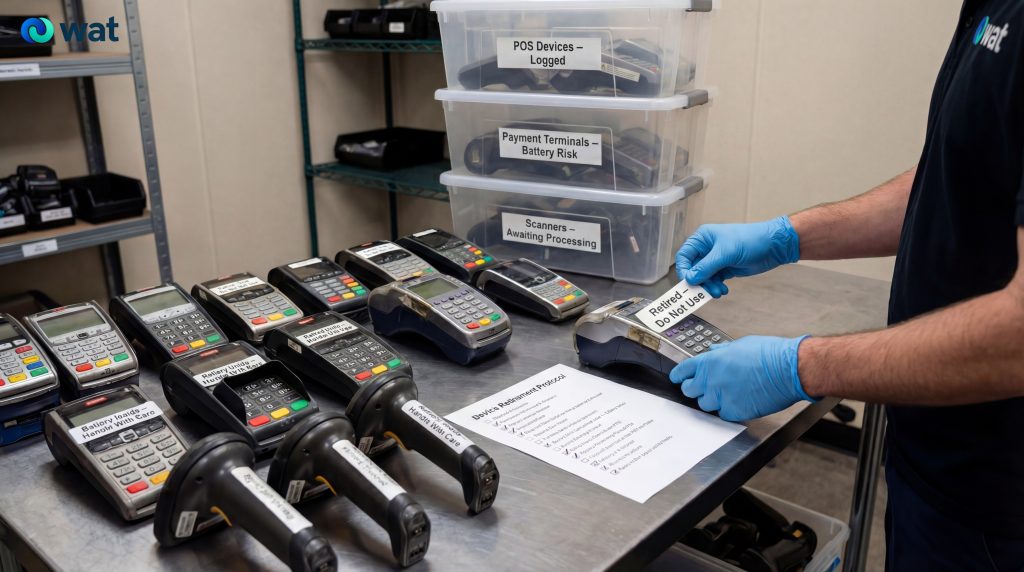
Retail and hospitality sites change technology fast. POS terminals get replaced during upgrades. Payment terminals get swapped when providers update hardware. Barcode scanners and handhelds get retired when batteries fail or when devices stop holding charge.
The operational risk is that these devices often end up treated like “small electronics” and stored loosely in back rooms, mixed into general waste, or handed off without clear records. A practical retirement process keeps device handling controlled, reduces battery-related hazards, and ensures your team can answer basic traceability questions later (what was removed, when, and who took custody).
This guide is designed for UAE retail and hospitality operators: store managers, hotel IT and facilities teams, and operations leaders who want a simple, repeatable runbook.
Why these devices are easy to mishandle
These categories create avoidable issues because they are:
- High volume (dozens across branches)
- Portable (easy to lose or remove without sign-off)
- Battery-heavy (handhelds and scanners commonly contain rechargeable batteries)
- Often connected to business systems (configuration data and device settings may exist depending on the model)
The UAE’s executive regulations for integrated waste management define electronic waste and battery waste and provide a structured framework for waste handling and controls, including recordkeeping and transport-related requirements. That makes it worth handling these devices through a controlled pathway rather than informal disposal.
What devices this article covers (retail + hospitality)
Typical items that show up in retirement piles:
- POS hardware: POS terminals, POS PCs, touchscreens, receipt printers, cash drawers, customer-facing displays
- Payment devices: payment terminals and card readers (countertop and handheld), charging docks
- Scanning and mobility: barcode scanners, handheld inventory devices, mobile POS devices, charging cradles
- Site support electronics: small routers used at branches, adapters, power supplies, cables, and docks
Not every one of these is “data-bearing” in the same way, but operationally, it is safer to treat business devices as sensitive until your IT/security owner confirms the required handling.
The practical retirement workflow (branch-ready checklist)
Use the steps below as your standard operating procedure across stores/sites. The order matters.
1) Assign ownership before you start collecting devices
Name one accountable owner per function:
- Operations/Facilities: controls collection points and storage areas
- IT/Security: confirms data handling requirements and approves retirement actions
- Finance/Procurement (optional): confirms if any equipment is leased/owned by a provider
2) Build a simple branch inventory (fast, not perfect)
Minimum fields are enough:
- Site name and location
- Device category (POS / payment / scanner / handheld / other)
- Make/model (if visible)
- Quantity
- Condition (working / damaged / unknown)
- Notes (battery present, visible damage, swelling, etc.)
Even a simple sheet prevents “mystery boxes” later.
3) Segregate by category and risk
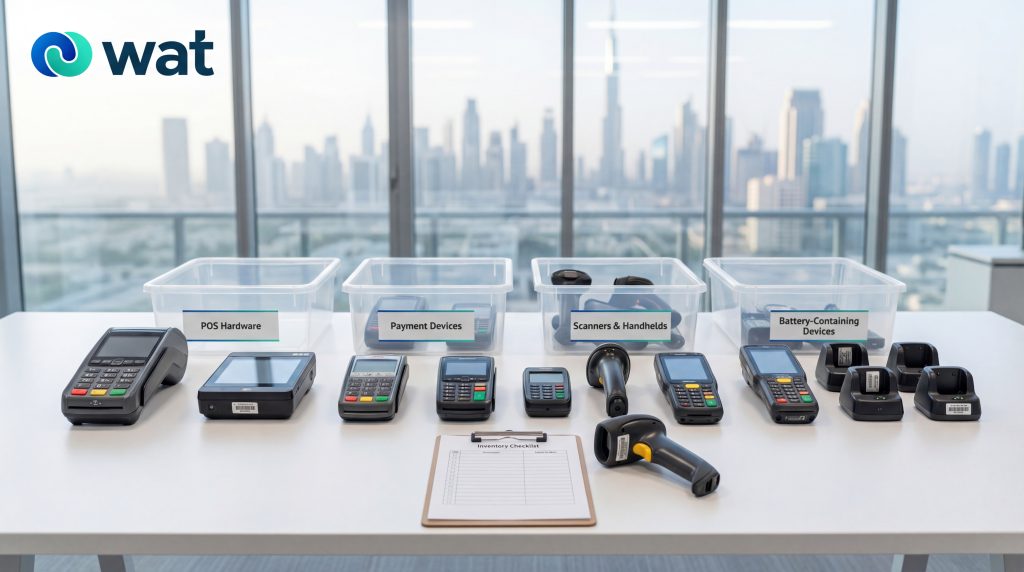
Create separate, labeled containers:
- Payment devices
- POS hardware
- Scanners/handhelds
- Cables/power supplies/docks
- Batteries and battery-containing devices (keep separate)
Do not mix electronics into general waste or packaging waste. Keep electronics in a controlled holding area.
4) Handle battery-containing devices deliberately
Many handhelds and scanners are battery-operated. Battery waste is defined in the UAE executive regulations, and the regulations include restrictions relating to battery waste disposal (including prohibitions on burying flammable waste such as battery waste in landfills). Store battery-containing devices in a stable, controlled way and keep them separate from heat sources and heavy stacking.
If you see visible swelling, distortion, or heat damage, segregate the item immediately and restrict access until the item is collected through an appropriate pathway.
5) Decide on data handling before anything leaves the site
For retail/hospitality devices, the best practice is to choose the handling method before handover, not after.
We offer multiple secure data options, including:
- Data sanitization (software-based erasure)
- Hard disk shredding
- Asset destruction (device-level destruction when required)
Your IT/security owner should decide what is required per category, based on your internal policies and risk tolerance.
6) Control storage and custody between removal and pickup
Most problems happen in temporary storage. Use basic controls:
- Restricted-access storage area (not a public stockroom corner)
- Labeled boxes with site name and device category
- A simple sign-off log (who placed devices into storage and when)
- Photos of grouped items before handover (quick and useful)
7) Keep handover records (simple, consistent, retrievable)
Operationally, retain:
- Pickup/handover confirmation
- Date/time of pickup and responsible parties
- High-level device summary by category and quantity
- Any provided documentation relating to transport/handling and final processing
This is about traceability: answering the “what happened to it?” question later without rebuilding the story from memory.
Category-specific retirement notes (what teams often miss)
Payment terminals and card readers
Common operational issues:
- Devices may be provider-issued or tied to an acquiring arrangement
- Charging docks and power units are often left behind and forgotten
- Old devices get stored without a clear “do not reuse” rule
Practical steps:
- Confirm internally whether terminals must be returned to a provider (if applicable)
- Keep each terminal with its dock/power supply where possible
- Label boxes clearly: “Payment Devices – Do Not Redeploy”
- Route through your approved data-handling pathway before disposal or recycling
POS terminals, POS PCs, and touchscreens
Common operational issues:
- POS systems may include storage media depending on configuration
- Accessories (mounts, cables, adapters) get separated and lost
- Store teams mix POS items with general back-room electronics
Practical steps:
- Keep POS units grouped by store/site to prevent cross-site mix-ups
- Separate screens from stands and mounts, but label them together
- Treat POS PCs and any storage media as sensitive until IT confirms handling
Barcode scanners and handhelds
Common operational issues:
- Battery wear leads to frequent replacements
- Devices are small and easy to “walk away”
- Charging cradles and spare batteries accumulate invisibly
Practical steps:
- Create a “handheld kit” bundle: device + cradle + spare battery (if any)
- Segregate damaged devices immediately (especially if battery damage is visible)
- Keep all handhelds in controlled storage until pickup
Cables, docks, and adapters
Common operational issues:
- Cables get treated as general scrap
- Mixed cable boxes reduce sorting value and create messy storage
- Power supplies often match specific devices and are expensive to replace
Practical steps:
- Separate into “usable spares” vs “retire”
- Bundle by type (power adapters, charging docks, POS cables)
- Keep clearly labeled “retire” bins so they do not get redeployed accidentally
Common mistakes retail and hospitality teams can avoid
- Allowing ad hoc removals: devices disappear without sign-off.
- Mixing electronics with general waste: once mixed, control and visibility are lost.
- Forgetting accessories: docks, chargers, and adapters create hidden waste and confusion.
- No handover records: teams cannot prove what left the site, when, or how.
FAQs
- Are POS systems and payment terminals considered e-waste when retired?
Yes. Once POS systems and payment terminals are removed from service and discarded, they are treated as electronic waste under the UAE’s integrated waste management framework (as defined in the executive regulations). - Do handheld scanners count as battery waste?
If the scanner contains a battery, battery waste requirements apply. Battery waste is defined in the executive regulations, and disposal pathways are restricted for battery-containing devices. - What records should we keep when retiring and handing over devices for pickup?
Keep minimum traceability records: site/branch name, device categories and quantities, pickup date, and a handover confirmation showing who took custody. - What data handling options can we use before devices leave the site?
Decide the data handling method before handover. Options include data sanitization (software-based erasure), hard disk shredding, or asset destruction—based on your internal policy and the device category. - We operate multiple branches. How can we standardize the device retirement and handover process across locations?
Use one checklist across all branches: consistent inventory fields, labeled storage by device category, controlled temporary storage, pre-approved data handling, and standardized handover records.
If you’re retiring POS systems, payment terminals, scanners, or handhelds across stores or hospitality sites and want a structured pickup with controlled handling (including secure data services where required), request a collection with WAT.