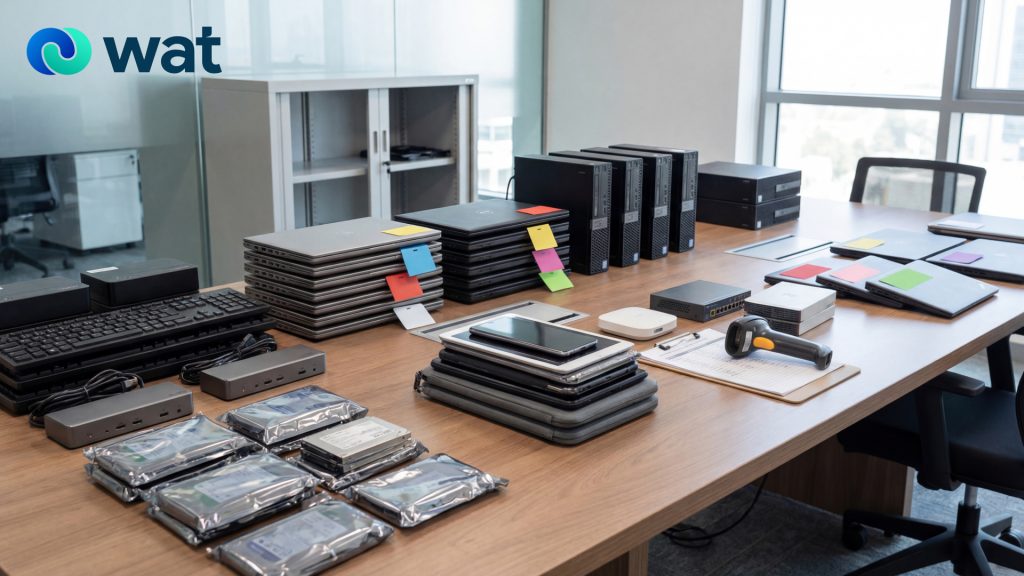
Office IT refresh cycles are routine in the UAE—laptops get replaced, storage gets upgraded, access devices get swapped, and old equipment starts piling up in server rooms, storage cabinets, and unused desks. The operational side of refreshes is usually well planned: procurement, deployment, and onboarding. The “offboarding” side often isn’t.
That gap creates avoidable risk. Retired devices can still contain sensitive business data. Loose handling can also lead to inventory confusion, delayed handover, and inconsistent documentation—especially when multiple departments are involved.
This practical checklist is designed for UAE workplaces that want a clean, repeatable process to offboard old IT equipment responsibly: collect, store, erase, and hand over—with clear ownership at each step.
Step 1: Define the refresh scope (before you touch the devices)
Start with a simple scope document so everyone is aligned.
Confirm what’s included:
- End-user devices (laptops, desktops, tablets, phones)
- Data-bearing components (hard drives, SSDs, external drives)
- IT peripherals that may be reused (docking stations, monitors, keyboards)
- Network and security equipment (routers, switches, access points)
Assign owners:
- IT lead (process owner)
- Security/Compliance point of contact (data handling sign-off)
- Facilities or Admin (collection logistics)
- Procurement/Finance (asset write-off and reconciliation)
This step prevents the most common failure: devices getting “informally” removed from the environment without traceability.
Step 2: Collect devices with an inventory-first approach
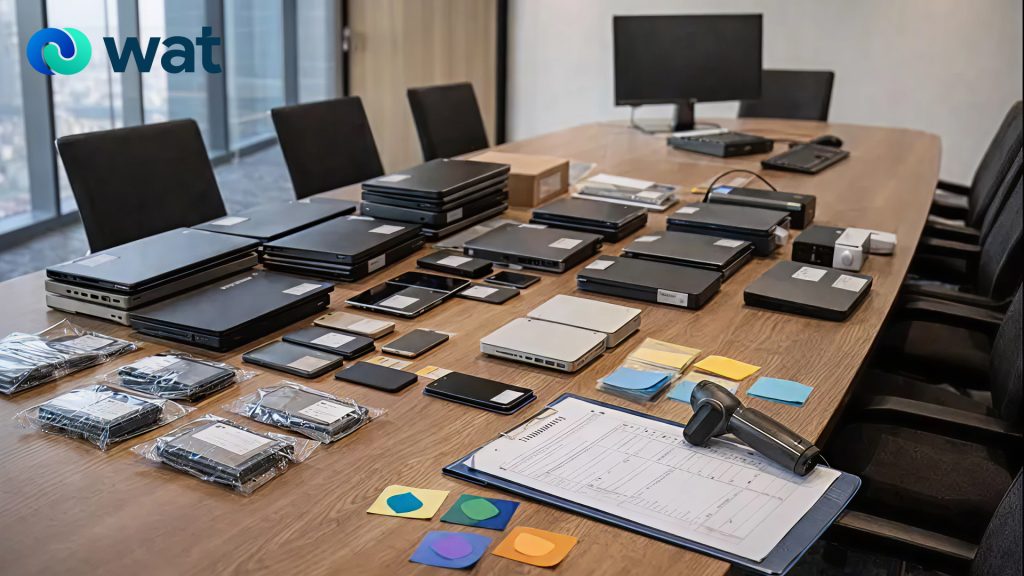
Collection should never be “grab and stack.” Treat it as an inventory event.
Best-practice collection workflow:
- Collect in one controlled area (one floor at a time if needed)
- Label devices immediately (asset tag, department, location, owner status)
- Capture a baseline inventory record before devices move again
Minimum fields to record:
- Asset ID (or a temporary ID if tags are missing)
- Device type and model
- Serial number (if available)
- Storage type (HDD/SSD/unknown)
- Condition (working / damaged / missing parts)
- Assigned user (if known)
If you can’t identify a device confidently, mark it as “unknown” and isolate it for follow-up rather than mixing it into the main batch.
Step 3: Store retired IT securely (chain-of-control matters)
Once devices leave desks and racks, you need controlled storage until data removal and handover are completed.
Secure storage basics:
- Use a locked room or locked cage with restricted access
- Limit handling to named custodians
- Keep high-risk items separate (servers, drives, laptops from sensitive functions)
Practical storage rules that reduce risk:
- No open boxes in shared areas
- No “temporary” piles in hallways or meeting rooms
- No mixing of devices pending data removal with devices already cleared
This is less about perfection and more about preventing uncontrolled movement and undocumented access.
Step 4: Decide what gets reused vs recycled (early)
Offboarding goes smoother when you make reuse/recycle decisions early.
Two common pathways:
- Reuse / repurpose: Working devices suitable for continued use or remarketing
- Recycle: Non-working devices or equipment not suitable for reuse
WAT supports both pathways through its “Reuse IT” and “Recycle E-waste” services, so organizations can route assets appropriately instead of defaulting everything to storage or disposal.
Step 5: Apply data removal that matches the risk level
Data removal is the step that often gets oversimplified. In practice, organizations typically need more than one option, depending on device type, storage media, and internal security requirements.
WAT provides several options for secure data removal, including:
- Data sanitization (software-based removal designed to make data unrecoverable while keeping drives intact)
- Hard disk shredding (physical destruction of storage media)
- Asset destruction (securely destroying and recycling the entire device where necessary)
A practical internal rule is to pre-classify devices into groups:
- Standard risk: general office devices with routine business data
- Higher risk: devices used for finance, executive functions, HR, legal, or sensitive client work
- Unknown risk: devices without clear ownership history
This classification helps you avoid delays and keeps decision-making consistent across departments.
Step 6: Prepare a clean handover pack (so nothing gets stuck)
The handover is where many IT refresh projects lose momentum. The fastest way to avoid that is a simple “handover pack” that matches your inventory list.
Include:
- Final device list (the same list used at collection, updated as needed)
- Pickup location and access instructions
- Approved contact person for day-of handover
- Notes on special handling (servers, drives, damaged items, battery-powered devices)
If you’re coordinating a collection, WAT provides a Request a collection pathway for arranging pickup and intake.
Step 7: Close out the refresh with documentation and reporting
An IT refresh feels finished when new equipment is deployed. Operationally, it’s finished only when the old assets are closed out with clear documentation.
WAT provides sustainability reporting (including what it calls “green certificate” reporting) through:
A Recycling Report
- Volume and types of items processed
- Percentage of devices repurposed vs recycled
For organizations that track ESG or internal sustainability actions, having consistent reporting helps turn a one-time cleanup into a repeatable program.
Common mistakes that slow down IT refresh offboarding
- Mixing “pending data removal” with “cleared” equipment
- Missing serials and asset IDs until the last minute
- No clear owner for storage access and movement
- Treating offboarding as a facilities task only, without IT/security sign-off
- Leaving devices in limbo because “we’ll handle it later”
Most of these issues disappear when the checklist is followed in sequence.
Quick offboarding checklist
Collect
- Inventory captured before movement
- Devices labeled and grouped
Store
- Locked location, restricted access
- High-risk and unknown devices isolated
Erase
- Data removal method matched to device risk
- Clear internal classification for exceptions
Handover
- Handover pack prepared
- Authorized partner pickup arranged
Close
- Documentation and reporting saved centrally
- Refresh officially closed out
If your organization is planning an office IT refresh in the UAE and wants a structured, secure way to offboard retired equipment, WAT can support collection, responsible recycling or reuse routing, and secure data removal. Contact WAT to plan your next refresh cycle and set up a clean handover process.